.svg)
.png)


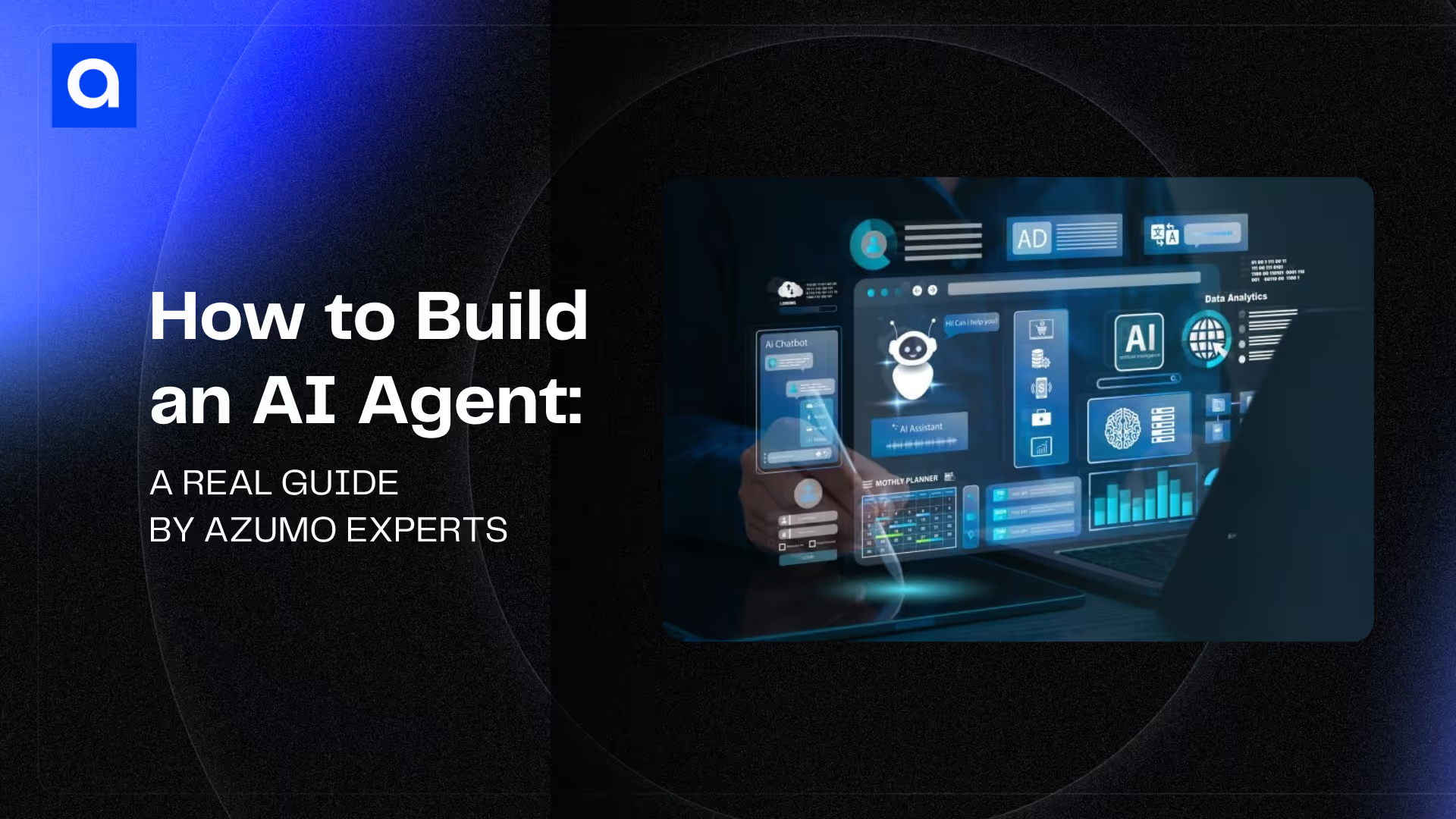
We build AI agents for clients and the first question we get is rarely "which model should we use." It is "how do we get from a working demo to something that survives production." That gap is where most agent projects stall, and closing it has far more to do with engineering discipline than model choice. This guide is the process we follow, grounded in the foundational guidance Anthropic and OpenAI have published, with the build-versus-buy decisions and the real systems we have shipped. It is written for an engineering leader scoping the work. Before picking a framework, it helps to see current AI agent usage statistics: 62% of organizations are at least experimenting with AI agents, and the market is projected to grow from $7.84 billion to $52.62 billion by 2030.
An AI agent is a software system that uses a language model to manage a multi-step workflow, choosing and calling tools as it goes, within defined guardrails. OpenAI draws the line clearly in its Practical Guide to Building Agents: applications that call an LLM but do not let it control the workflow, like a single-turn chatbot or a sentiment classifier, are not agents. The agent is the system around the model, not the model itself. If you want the structural depth, our guide to AI agent architecture covers agent types, components, and orchestration topology. This page is about building one.
When You Actually Need an Agent
The most useful thing we do early in a project is talk some clients out of building an agent at all. Agents trade latency and cost for flexibility, and that trade only pays off for certain problems.
OpenAI's guide names three signals that a workflow is a genuine fit. The first is complex decision-making that involves nuanced judgment and exceptions, like approving a refund based on context rather than a fixed rule. The second is rule systems that have grown too tangled to maintain, where every update risks breaking something, such as a vendor security review. The third is heavy reliance on unstructured data, like reading documents or holding a real conversation. OpenAI's analogy is worth keeping in mind: a rules engine is a checklist, while an agent is a seasoned investigator who can weigh context and notice a problem no single rule would catch.
Anthropic reaches the same place from the other direction in Building Effective Agents: find the simplest solution that works, and add complexity only when it demonstrably improves outcomes. For many applications, one well-optimized model call with retrieval and a few good examples is enough. The job of the first design conversation is to figure out whether the problem actually needs an agent, a fixed workflow, or just a better prompt.
This is also where scope gets set. "Help with customer service" is not a spec. "Read inbound tickets, classify them by product area, draft a first reply, and escalate anything mentioning a refund to a human" is a spec you can build, test, and measure. Most of our early work is turning the first kind of statement into the second.
Workflows, Agents, and the Patterns in Between
The biggest reason agent projects stall is that teams jump straight to a fully autonomous agent when a simpler, more predictable pattern would have done the job. Anthropic's guide is built around this point, and it is the part most worth internalizing before you write any code.
Start with the building block both companies agree on: the augmented LLM, a model with retrieval, tools, and memory attached. From there, Anthropic lays out five composable patterns that cover the large majority of production systems, ordered from simplest to most flexible.
Prompt chaining breaks a task into a fixed sequence of model calls, each working on the last one's output, with a programmatic check between steps to catch a derailment early. It fits cleanly decomposable tasks, like drafting a document outline, validating it, then writing from it.
Routing classifies an input and sends it to a specialized path. It lets you write a focused prompt for each category instead of one prompt that does everything adequately and nothing well. Support triage is the classic case: general questions, refunds, and technical issues each go to their own prompt and tools, and easy queries can route to a cheaper, faster model while hard ones go to a more capable one.
Parallelization runs model calls at the same time and combines the results, either by splitting a task into independent pieces or by running the same task several times for a higher-confidence answer. Running a guardrail check in parallel with the main response is a common use, and so is having several prompts review the same code for different classes of bug.
Orchestrator-workers uses a central model to break a task into subtasks on the fly, hand them to worker models, and synthesize the results. The difference from parallelization is that the subtasks are not known in advance. This is the pattern behind coding agents that change an unpredictable number of files, and research tasks that gather from sources the orchestrator decides on at runtime.
Evaluator-optimizer pairs a model that generates with a model that critiques, looping until the output meets a bar. It works when you have clear evaluation criteria and iteration measurably helps, like a translation that an evaluator can refine across rounds.
A true agent, in Anthropic's framing, is the most open-ended pattern: an LLM using tools in a loop, checking the result of each action against the environment before deciding the next one, with human checkpoints and a stopping condition like a maximum number of turns. Use it when you genuinely cannot predict the number of steps and you can afford to trust the model's decisions inside a tested, guarded environment. The autonomy is what makes it powerful and what makes it expensive, because errors compound across turns.
Our own rule of thumb matches Anthropic's: reach for the simplest pattern that solves the problem, and escalate only when the simpler one provably falls short. A routed workflow you can debug beats an autonomous agent you cannot, and most of the "agent" requests we get are satisfied by a workflow with one or two model calls in the right places.
Single Agent First, Multi-Agent Only When It Pays
When a problem does call for an agent, the next temptation is to split it into a swarm of specialized agents too early. OpenAI's guidance is direct: maximize a single agent first. A single agent with a good set of tools, run in a loop until it hits an exit condition, keeps complexity and evaluation manageable, and you add capability by adding tools rather than agents.
There are two honest signals that you have outgrown a single agent. The first is logic complexity: when one prompt is carrying so many if-then-else branches that it has become impossible to maintain, splitting the branches across agents helps. The second is tool overload, and OpenAI is precise about what that means. It is not the raw count of tools. It is their overlap. Some teams run more than 15 well-defined, distinct tools on one agent without trouble, while others struggle with fewer than 10 that shade into each other. If clearer names, parameters, and descriptions do not fix the model's tool selection, that is the signal to divide.
When you do go multi-agent, OpenAI describes two patterns worth knowing. In the manager pattern, a central agent calls specialized agents as tools and synthesizes their output, which fits when one agent should stay in control of the conversation. In the decentralized pattern, agents hand off control to one another as peers, which fits triage-style flows where a specialist should fully take over. Anthropic's orchestrator-workers is the same idea expressed as a workflow. The point across all of them is to keep components composable and prompt-driven, and to add coordination only when a single agent has clearly run out of room.
Memory, Shared State, and Self-Improving Agents
Memory is where agent building is heading next, and it is worth designing for deliberately rather than letting a prompt grow until it overflows. Anthropic now describes memory as a core agent primitive alongside tools and MCP, and the reason is self-improvement: an agent that records what worked, what failed, and what it learned can get better at a task across runs instead of starting cold every time. Anthropic reports that Rakuten, after deploying memory in its internal knowledge agents, cut first-pass mistakes by about 90 percent, because each agent caught errors and passed them to the next, which also lowered token use and latency.
Two kinds of memory matter, and they follow different rules. Working memory is the agent's own scratch space for the task in front of it, rewritten often. Shared, or organizational, memory is the longer-lived knowledge several agents read from: runbooks, standard procedures, known-good strategies. In practice you want these on separate permission scopes, with read-only access to the shared knowledge so an agent cannot quietly corrupt the source of truth, and read-write access to its own working store. Anthropic models memory as a plain file system the agent manages with familiar tools like bash and grep, which keeps it inspectable.
The harder problems arrive when many agents share memory at once, which is increasingly common in production. Concurrency is the first: when hundreds of agents touch the same store, you need a way to stop one from overwriting another's update, which Anthropic handles with an optimistic check against a content hash before each write. Auditability is the second: production memory needs version history and attribution, a log of what changed, which agent changed it, and when, so a memory-driven decision can be traced and rolled back. If you cannot answer why the agent believed something, the memory is not production-ready.
The frontier idea is consolidating memory offline. Anthropic recently previewed a background process it calls dreaming, which reviews recent agent transcripts, finds patterns and repeated mistakes across many sessions, and rewrites the shared memory to be deduplicated, verified, and current, so the next day's agents start smarter. In Anthropic's early testing, Harvey, an AI platform for legal work, reported a sixfold increase in task completion on one of its legal benchmarks after applying it. The mechanism is new, but the principle is durable and matches what we see: a single agent only knows its own run, while a separate pass over many runs catches the shared patterns no one agent would notice. We expect this offline-improvement loop to become a standard part of production agent systems, the way evaluation already has.
For the structural side of memory, working versus long-term stores and vector retrieval, see our AI agent architecture guide. For building, the point is to treat memory as designed infrastructure with scopes, concurrency control, and an audit trail, not a context window that quietly fills up.
The Build Process, Step by Step
With the patterns settled, here is the path we actually follow from a defined problem to a production system. The order matters, because each step depends on the decisions in the one before it.
1. Write the job down as a spec
We pin down the agent's purpose, the systems it touches, and the cost of getting things wrong, in concrete terms. A chatbot answering FAQs and an agent that moves money are different builds with different risk. Clients often arrive with a vague idea and sharpen it once they see what an agent can do, so this stays a working conversation rather than a one-time handoff. We would rather cut scope here than discover in production that the agent was asked to do too much.
2. Build the knowledge base
An agent is only as good as what it knows. We gather the company-specific material it needs, product documentation, internal policies, historical support interactions, clean it, and serve it with Retrieval Augmented Generation so the agent pulls accurate, current information at query time instead of relying on the model's training data.
This step carries more weight than any model decision, and it is the one teams most often underestimate. On Stovell, a predictive platform we built for global energy firms and asset managers, the agents only produced decision-grade output because we trained them on tightly curated domain data: historical market behavior, competitor pricing signals, financial indicators. The architecture was sound, but data quality made the predictions usable. Our honest position after years of this work is that most of an agent's success is the data and the retrieval layer, not the model. A team that pours effort into the model and skimps on the knowledge base ships a fluent agent that is confidently wrong. The retrieval side is involved enough that we treat it as its own discipline; see our walkthrough on building a production RAG and knowledge base.
3. Define and test the tools
Tools are how the agent acts. OpenAI groups them into three kinds: data tools that retrieve context, action tools that change something like sending an email or updating a record, and orchestration tools, which are other agents exposed as callable functions. Each tool gets a standardized, documented definition so it can be reused and version-managed instead of redefined per project.
This is where the Model Context Protocol fits in. MCP is an open standard for connecting agents to tools and data sources through one common interface, so you build an integration once and reuse it across agents and models instead of writing custom glue for each system. Anthropic points to MCP as a practical way to give an augmented LLM access to a growing ecosystem of third-party tools through a simple client implementation. We treat an MCP-compatible tool catalog as an asset in its own right: defined once, tested in isolation, and replaceable without rewriting the agent loop. The deeper, architecture-level case for MCP is in our architecture guide above; at build time the payoff is fewer one-off integrations and far less per-project wiring.
Anthropic makes the sharper point here. You should invest as much effort in the agent-computer interface as teams normally spend on the human interface. Give each tool a description clear enough that a junior engineer could use it without guessing, include example usage and edge cases, and design the parameters so mistakes are hard to make. While building their SWE-bench coding agent, Anthropic spent more time optimizing the tools than the overall prompt, and a single change, requiring absolute file paths instead of relative ones, fixed a whole class of errors.
We design tools the same way. Valkyrie, our internal AI platform, exposes models, image generation, and reasoning engines through one documented API and CLI, with orchestration and multi-cloud infrastructure handled underneath. Each tool is a typed, tested function, so when something misbehaves we can tell a tool problem from a model problem instead of staring at a prompt.
4. Pick the models and the stack
There is no single right model. OpenAI's approach, which matches ours, is to prototype with the most capable model to set a quality baseline, then swap in smaller, faster models where they still hold the bar. Leading teams blend models within one system: a cheap model handles routing and classification, a more capable one handles the hard planning steps. You make that decision against evaluations, not vibes.
The framework choice follows the same logic. For workflow and pipeline agents we lean on LangChain and LangGraph for fine-grained control over memory, tools, and multi-step logic. For voice and real-time audio we use LiveKit. On the backend it is usually Python and FastAPI. Anthropic's caution is worth heeding: frameworks speed up the start but add abstraction that can hide the prompts and responses you need to see, so understand the code underneath whatever you adopt. On Sparks & Honey's cultural-intelligence platform, the right answer was a modular backend with generative briefing and custom scrapers. A different job calls for a different shape, which is why the stack decision deserves its own section below.
5. Add guardrails and gate autonomy
Guardrails are not a post-launch feature. OpenAI describes them as a layered defense, where no single check is enough but several specialized ones together make an agent resilient. The layers include a relevance classifier that keeps the agent on topic, a safety classifier that catches jailbreaks and prompt injection, a PII filter, a moderation check, rules-based protections like blocklists and input limits, and output validation. The most useful idea for build planning is tool safeguards: rate each tool by risk, weighing read versus write access, reversibility, permissions, and financial impact, and use the rating to pause for a check or escalate to a human before a high-risk action runs.
That connects to autonomy, which we grant in stages rather than all at once. OpenAI names two triggers for human intervention: exceeding a failure threshold, like repeated failed attempts to understand intent, and any high-risk, irreversible action. On an alarm-management platform we built for a midstream oil and gas company, the agent filtered false-positive pipeline alarms on its own, a bounded and reversible action, using anomaly-detection models like Isolation Forest and autoencoders, and it sent alerts directly. But a signal that looked like a real leak routed to a human before any crew was dispatched, because that action was expensive and slow to reverse. The agent retrained on operator feedback over time. That gradient, free to act where mistakes are cheap and gated where they are not, lived in the authorization layer, not in a prompt asking the model to be careful.
6. Evaluate offline, then online
The discipline that separates teams that ship from teams that pilot forever is evaluation. We check the agent's output against known-good results offline before it sees live traffic, then evaluate it online once it does, with instrumentation in place from day one. An agent that cannot be measured cannot be expanded safely, because every scope increase is then a guess. We use tracing tools like LangSmith to see what the agent does at each step, which is what makes a multi-step failure debuggable instead of mysterious.
Three failure modes show up whenever this step is skipped. Blind autonomy, where an agent takes many actions with no checkpoint and a small early error compounds. Missing guardrails, where nothing defines what the agent must never do. And tool overload, where too many overlapping tools degrade selection. Each is preventable at design time and expensive to find in production.
7. Maintain and improve
An agent is software, and software needs maintenance. After launch we keep it current, fix issues, add capabilities, tune performance, and where it makes sense, set the agent up to improve from real interactions. Not every agent should learn automatically, so when continuous learning is warranted we build the environment for it deliberately rather than letting the system drift.
Choosing Your Stack: Framework, No-Code Builder, or Development Partner
The decision teams agonize over as a framework comparison is really a different question: who owns the production engineering after the prototype works. There are three real options, and the right one depends on the engineering capacity you have in-house.
Frameworks are code libraries you build on: LangChain and LangGraph, CrewAI for multi-agent coordination, LiveKit for voice, the OpenAI Agents SDK. They give you full control and assume your team owns the architecture, the evaluation suite, the guardrails, and the infrastructure. Anthropic's advice applies directly here: many patterns are only a few lines against the model API, so start there, and if you adopt a framework, make sure you understand what it is doing underneath. Frameworks fit teams with the engineers to own all of that long term.
No-code builders like n8n, Zapier, and Gumloop give you visual workflows and ready-made connectors. For fixed cross-app automations with predictable inputs and a human reviewing the output, they ship faster than anything code-first, and calling that overkill-free is fair. The trap appears when requirements grow. The moment an agent needs schema validation on its outputs, dynamic routing between models, or a real evaluation suite, the abstraction breaks and the team rebuilds the prototype on a code-first framework. That second build often consumes the budget that should have funded the production system.
A development partner designs, builds, and maintains the agent for you, bringing the evaluation patterns, guardrails, and orchestration architecture already worked out. This fits complex, high-impact, or mission-critical projects, and teams without deep in-house AI engineering.
Choosing between them comes down to a few honest questions. How much of the production engineering work can your team actually own and maintain? How quickly will your requirements outgrow the abstraction you start with? What do security and compliance demand, and what is the total cost over two years rather than two weeks? Here is the opinion we will commit to, because we have watched it play out: if your team does not have the engineering capacity to instrument, evaluate, and govern an agent in live traffic, a no-code builder tends to break around month four and a single framework hire tends to stall around month two. A partner who has put agents into production is usually the cheaper path in that situation, not the more expensive one. The buy-then-rebuild sequence is the most expensive mistake we see in the first six months of an agent program.
What Teams Build with Agents
The agents worth building share a profile: multi-step tasks where the path changes based on intermediate results, high-volume work where reviewing every action by hand is not feasible, and domains where errors are bounded and correctable. Anthropic and OpenAI both point to customer support and coding as the clearest fits, because each combines conversation with action, has measurable success, and supports a feedback loop. Our own range maps closely, and it splits by whether the agent faces the customer or runs behind the scenes.
On the customer-facing side, Charlibot is our AI chatbot platform, trained in minutes on a client's own content and running across Slack, SMS, WhatsApp, and Facebook Messenger to handle support around the clock. For Discovery Channel we built Quizcovery, an Alexa Skill that engages audiences through voice-driven trivia. We have built voice agents that open a call, qualify the caller, and hand off to a human when the conversation needs one, and virtual assistants for one of the world's largest travel carriers that manage distinct tasks through voice across mobile-first applications.
Behind the scenes, the work is quieter and often higher stakes. The oil and gas alarm agent above kept field crews from being dispatched on false alarms. For a financial-services firm we built a compliance-monitoring agent that watches internal communications in real time and flags potential violations, like confidential data sent over an unsecured channel, before they escalate. We built a sales-automation agent that qualifies leads, updates the CRM, and schedules meetings so the sales team spends its time on real opportunities. We have used LangChain to build document summarizers for legal and finance teams, a telehealth assistant that triages patient questions before a doctor joins the call, and an RFP and RFX agent that automates procurement document work. One client, NLX.ai, called the result "wildly impressive" and rated it 5 out of 5.
The common thread is not the model. Each agent was scoped to a job where automation paid off and the failure modes were survivable.
Frequently Asked Questions
A simple, well-scoped agent can be in production in a few weeks. More complex systems that touch many internal systems and require security review and staged evaluation take a few months. The timeline is driven by integrations, approval workflows, and testing, not by the model.
Cost depends on task complexity, how much customization is needed, and how deeply the agent integrates with your systems. A narrow agent built on existing APIs costs far less than a custom, multi-system production deployment. We scope and price against your specific requirements rather than a fixed package.
Yes. Most frameworks support API and database integrations, and that is the normal case. Older or in-house systems can require extra connector work, which we account for during scoping. For legacy systems without APIs, computer-use models can drive the application's interface the way a person would.
Security is built into the design. We follow data-governance practices and work within frameworks like SOC 2, GDPR, and HIPAA where they apply, using encryption, access controls, and permission-aware retrieval so an agent only sees data it is allowed to see. For regulated work, governance and audit trails are part of the architecture, not an afterthought.
Use a framework if you have the in-house engineering capacity to own the evaluation, guardrails, and infrastructure long term. Bring in a partner when the project is complex or mission-critical, or when your team does not have production AI engineering capacity to spare. The honest test is whether you can staff the work after the prototype, not whether you can build the prototype.
If you are ready to build an agent, or want a partner who brings the evaluation and governance discipline in the door, that is the work our AI agent development team does. The examples here are real engineering implementations, adapted for clarity and confidentiality.
.avif)
About the Author:
ML/AI & Backend Engineer
Guillermo Germade, Data Science Expert at Azumo, specializes in building machine learning models and AI systems, focusing on consumer tech, entertainment, and big data.

.avif)