.svg)
.png)


Meta paid about $2-3B for Manus AI in December 2025, and with a deal that large, something is certainly working well. Autonomous AI agent technology is trending upwards, and Manus is right in the middle of what Tesla’s former AI Director Andrej Karpathy calls “vibe coding”.
But here is the honest truth: Manus AI is phenomenal for research, data analysis, and exploratory prototyping. It can deliver functional web applications from single prompts and can perform multi-step, complex tasks on its own. There is no doubt here.
But production software? Well, that’s a different story.
We have been building AI software at Azumo since 2016, for companies such as Meta, Discovery Channel, and Twitter. And during this period, we have seen dozens of clients bring their AI-generated prototypes to us when the technology couldn’t go any further.
This Manus AI review is an accurate and truthful overview of Manus’ strengths and weaknesses and a general guide for when to use AI technology and when to lean on human experts to finish your project. Let’s go!
What Is Manus AI?
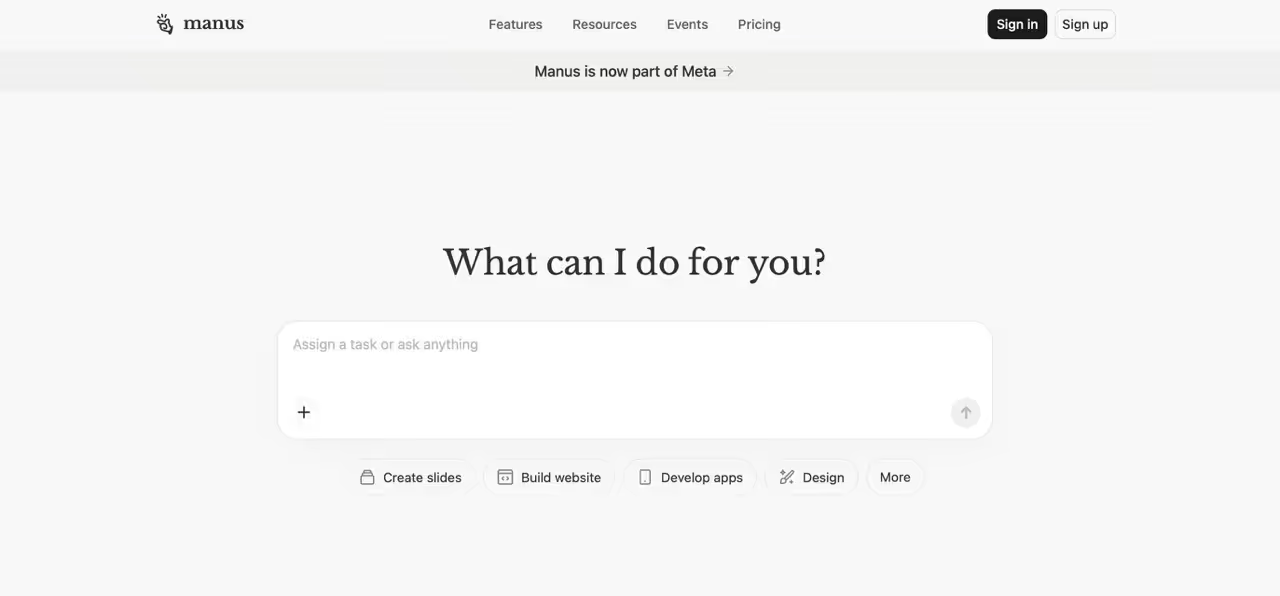
Manus AI is an autonomous AI agent that independently plans, executes, and delivers results for complex multi-step tasks without constant human guidance. Butterfly Effect (the makers of Monica.im) launched Manus on March 6, 2025.
Manus is not a tool like ChatGPT or Claude. Think of it this way: ChatGPT generates text. You copy, paste, repeat. Manus takes action. It can search the web, write code, control databases, create files, and orchestrate a bunch of specialized sub-agents that work together.
The system runs asynchronously in the cloud. You can give it a task, close your laptop, and come back hours later to find it finished.
How Manus AI Works: Multi-Agent Architecture
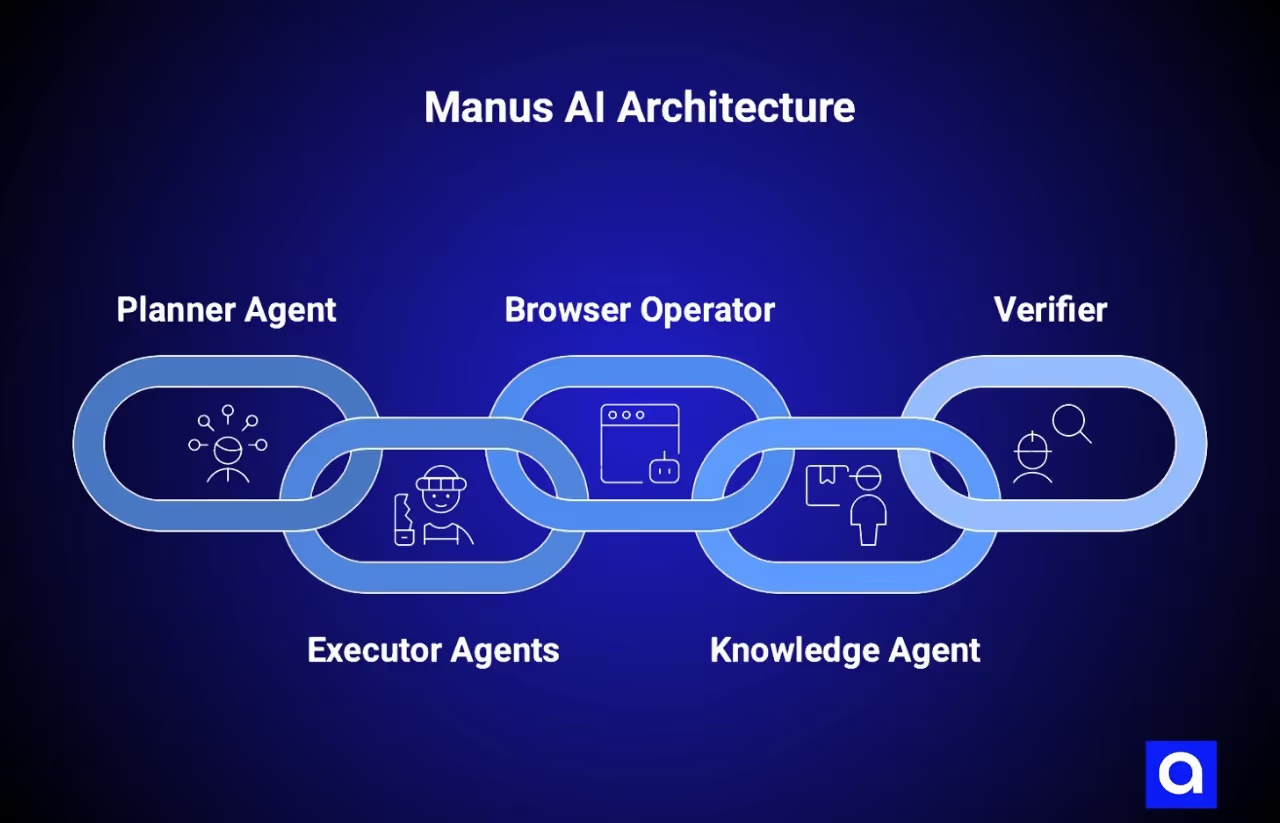
Manus orchestrates several specialized sub-agents:
- Planner Agent: This is the primary agent that generates the plan of action given a specific request. This planner may divide the request into a series of tasks that need to be completed.
- Executor Agents: These are a range of agents that perform specific tasks such as writing code, searching for information or performing data analysis.
- Browser Operator: This agent is responsible for interacting with websites, such as completing forms or clicking buttons.
- Knowledge Agent: This agent is responsible for pulling together information from a variety of sources in real time.
- Verifier: This agent is used to verify the accuracy of the response that has been provided.
The result of this multi-agent architecture (compared to a monolithic model) is that each individual sub-agent can specialize in doing one thing well.
Under the hood, Manus does not have a custom model, but instead relies on an internal coordination tool to make use of third-party models such as Anthropic’s Claude 3.5/3.7 Sonnet and Alibaba’s Qwen. At the time of the acquisition, it had already processed over 147 trillion tokens and served 80M+ virtual computers.
What Are The Key Manus AI Features?
Manus AI is built to handle tasks independently, not just chat about them. Here's how it works:
- Autonomous Execution: It performs tasks when you are offline, without the need to be prompted.
- Sandboxed Environment: Tasks executed in a Linux container with access to a full browser, file system, Python, terminal, etc.
- Real-time Inspection: You can see the screen of “Manus’s Computer” and interact if required.
- Stateful Memory: Ability to recall from memory with 95% accuracy, from one session to another.
- System and Service Connectivity: Integration with browsers, databases, APIs, and other third-party applications.
On the GAIA benchmark (General AI Assistants, created by Meta AI, Hugging Face, and the AutoGPT team), Manus scored 86.5% on basic tasks, 70.1% on intermediate complexity, and 57.7% on complex tasks. That beat OpenAI's Deep Research (74.3%, 69.1%, 47.6%) across all levels.
But notice that 29-point drop from basic to complex tasks. We'll come back to why that matters.
Who Should Use Manus AI?
What Are Manus AI's Ideal Use Cases?
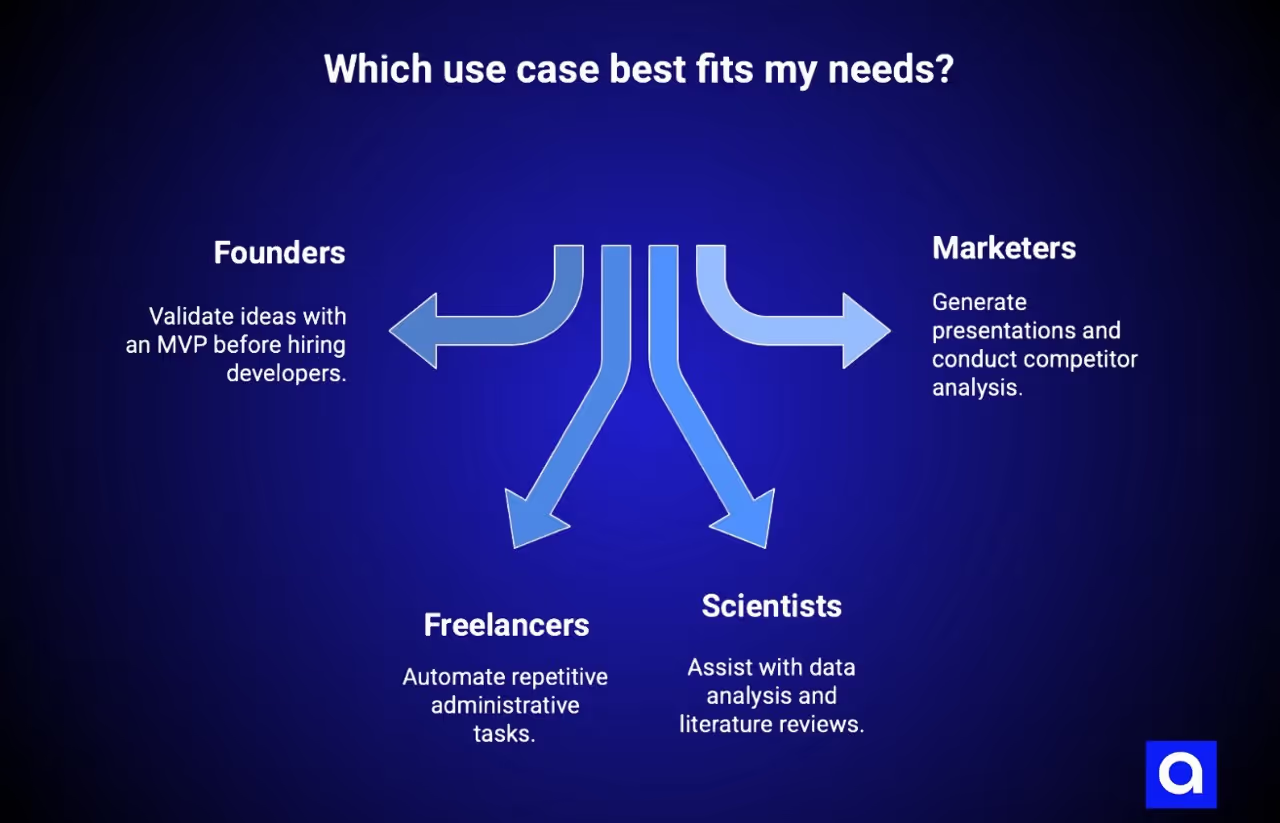
Founders who want to validate their ideas before hiring a developer. If you want to validate whether your idea actually works before investing in fully developing it, Manus will be able to create a working MVP in no time.
Solo-founders and freelancers who want to automate repetitive administrative tasks. Whether you’re doing market research, competitive analysis, data sorting, report writing, etc., any task that takes a few hours each week.
Scientists who need help with data analysis and literature reviews. Manus can perform data analysis, help you visualize the data, and give you a comprehensive review of the literature based on dozens of papers.
Marketers who need to generate presentations or conduct competitor analysis. Manus can help you with all your report writing, competitor analysis, and strategy review.
One user described it as "collaborating with a highly intelligent and efficient intern," according to MIT Technology Review. It occasionally lacks understanding, but it explains its reasoning clearly and adapts when you provide detailed instructions.
Who Manus AI Is NOT For
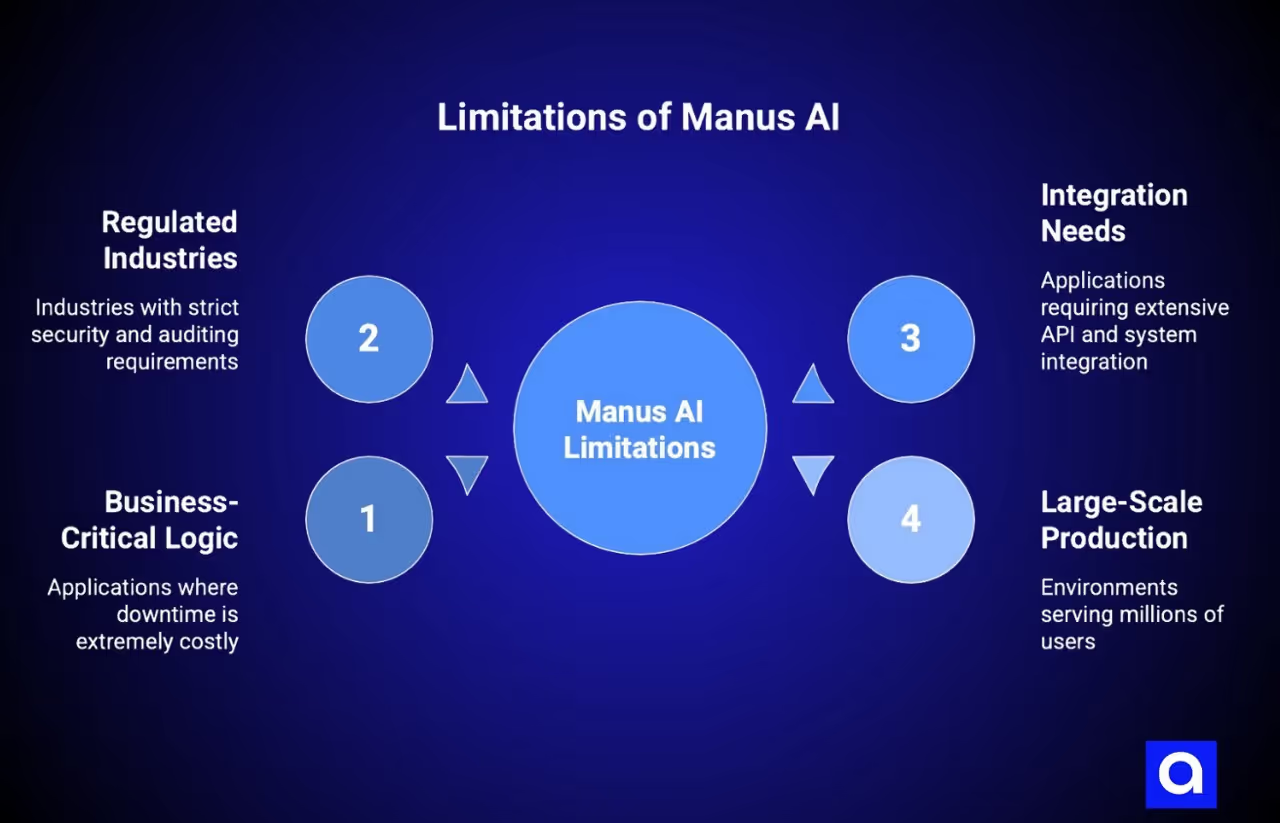
Applications that have business-critical logic. If the service costs thousands for every minute it is down, then you don't want it to be unstable.
Applications that operate within a regulated industry. (e.g., anything requiring HIPAA, Financial, or Government security standards). Manus doesn't support the necessary auditing, security, etc.
Applications that require a lot of integration. (e.g., if you have a lot of APIs that need to be talked to, or you need to integrate with a legacy system). You'll be dealing with web services and APIs, which work well for web-based applications but can cause headaches otherwise.
Large-scale production environments. (e.g, your site is going to serve millions of users). At that scale, you are going to have to be concerned about security, performance, and special cases.
If any of those are true, then I would say that you're looking at a prototype-to-professional transition from day one.
What Are Manus AI Limitations: What the Hype Doesn't Tell You
The demos look impressive. Social media shows Manus building full web apps from single prompts. But extended real-world use reveals limitations competitors don't talk about.
Manus AI Performance Issues: Stability and Reliability
System instability hits during high-demand periods. Users report frequent "Due to current high service load, tasks cannot be created" errors. The platform freezes on certain pages for extended periods.
According to MIT Technology Review's hands-on testing, "Manus can suffer from frequent crashes and system instability... It has a higher failure rate than ChatGPT DeepResearch."
What works in one region may not work in another. For some, the platform works perfectly, for others, it does not work at all in their work time.
The debugging cycle eats up your credits and may not even result in a fix. The AI could attempt to fix something several times and simply undo previous fixes. This is what one customer wrote on Trustpilot: "Manus makes errors in development and then charges me 60% of my credits. I asked Manus 9 TIMES to change the color of an expandable box, and it hasn't done it. But it did eat through 3000 credits."
If the server is “busy,” you are out of luck. Nothing happens, no matter how urgent you are.
Context Window and Complex Task Limitations
Limited context windows struggle with large data processing. You'll hit this constraint just as you gain momentum on a project.
Remember the GAIA benchmark scores? The score declines from 86.5% on simple questions to 57.7% on hard questions. That is not a minor decrease. That is a substantial reduction in the capability to perform the required tasks.
Complex projects make you split tasks into smaller pieces. But this creates coordination overhead. You manage dependencies between outputs, at the same time ensuring consistency, and stitching everything together manually.
Content access issues compound the problem. Manus runs into CAPTCHAs when browsing. It can’t read news articles or academic papers behind paywalls. It struggles with websites that have a login wall.
The system handled research lists well, but hit walls with paywalled content and frequently needed me to step in.
Security, Privacy, and Compliance Gaps
Manus was originally founded in China, but moved to Singapore in mid-2025.
That backstory is relevant.
In January 2026, China broadened its scrutiny of the deal to include issues like currency transactions, tax, and offshore investments. Winston Ma from NYU School of Law noted this “may set the stage for the most prominent CFIUS-like case in China.”
Questions under review include:
- Whether AI technologies developed while Manus operated in China fall under national security regulations
- Technology export control compliance
- Whether personnel/system relocation requires export licenses
- Potential violations requiring deal alteration or unwinding
For businesses, this creates regulatory uncertainty around data sovereignty. The ongoing review adds questions about long-term service stability.
Manus does not have fine-grained support for HIPAA, SOC 2, or GDPR. It may expose prompts from internal training data or other users. If you’re in a regulated industry or care about protecting sensitive information, you should not use Manus without additional precautions.
The "Last 30%" Problem: When AI Hits Its Ceiling
Our experience at Azumo is that Manus can do 60-70% of the job. But that’s it.
It can produce working prototypes. Most features can be demonstrated to work under some circumstances. But to take them to production will require:
- security hardening for actual use cases
- performance tuning for actual loads
- dealing with edge cases for unusual inputs
- implementing error recovery and fallback strategies
- testing interactions with other systems
- and all the paperwork and auditing to prove that you have done all of that
The results are “combinatorial as opposed to creative”. Manus can find combinations of things that it has seen before and combine them in effective ways, but it can’t invent completely new designs to solve difficult problems.
And that last 30% is the difference between a prototype and something that real people depend on. For that, you need an experienced developer.
How Does Azumo Solve These Manus AI Limitations?
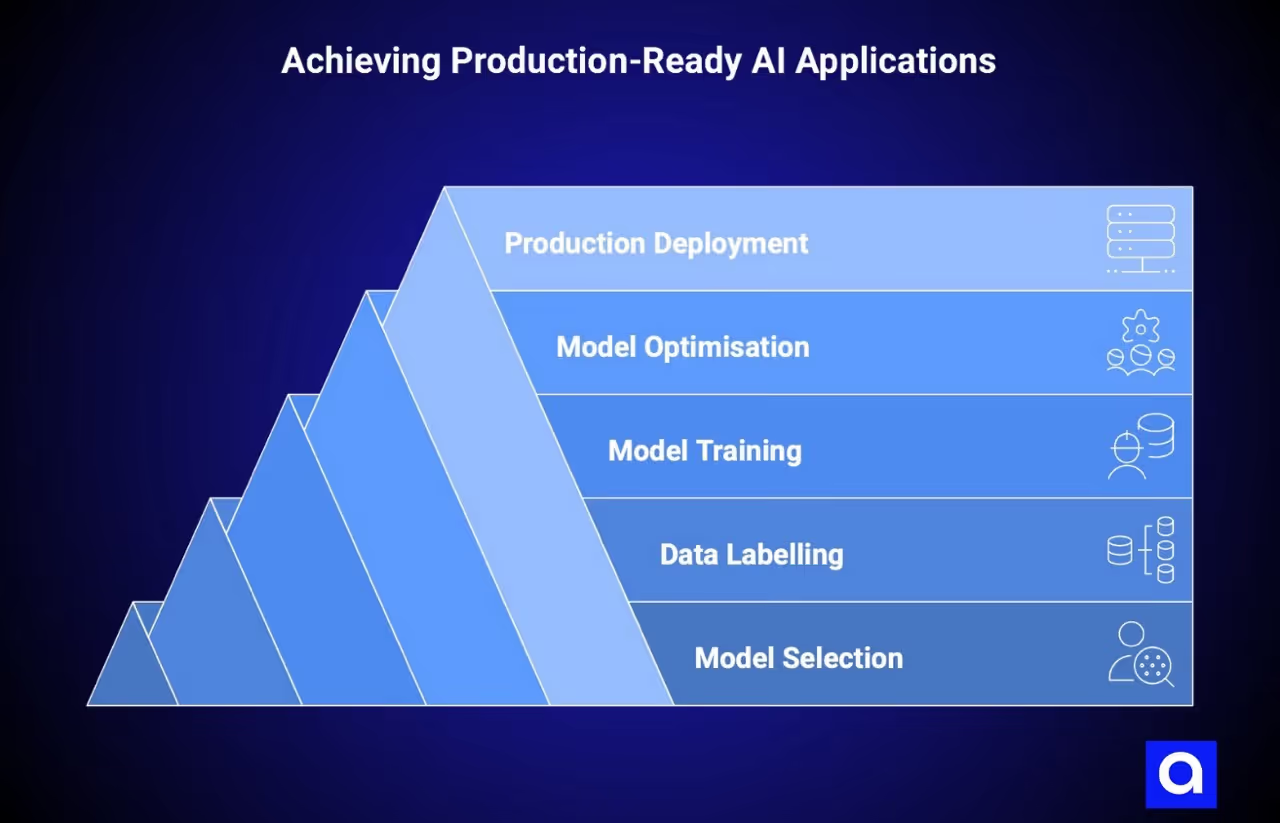
We’ve been delivering production-ready AI applications since 2016. We’ve taken dozens of AI-generated prototypes and productionized them into scalable enterprise applications.
If Manus has generated something promising for you, here’s how we can help you productionize it:
Step 1: Model Selection & Implementation
Our data scientists help you either build a custom model or select the best pre-trained model for your use case. We then implement the model in Python to ensure it works for your application.
Step 2: Data Labelling
AI requires clean data. We label your data with the correct classes & categories to ensure your data is ready for training and analysis. This is the single most important thing to get right if you want your model to perform well.
Step 3: Model Training
Our machine learning engineers train your model on your labelled data. We tune the model to reduce the discrepancy between the predicted and actual outcomes to ensure your model learns what it is expected to.
Step 4: Model Optimisation
Once your model is trained, we optimise it. Our team will try a number of different approaches, hyperparameters anddata preprocessing steps to further improve the accuracy of your model. We do this until the model meets your required performance.
Step 5: Production Deployment
Once your model is optimised, we deploy it to production with the right CI/CD, monitoring, and incident management. Whether that’s integrating with your existing application or deploying a new application, we ensure your application is production-ready, documented, and easily maintainable.
Our nearshore software development teams are based in your timezone and have excellent written & spoken English skills. We have experienced developers who understand your technology stack and business requirements with expertise in AI/ML, web development, cloud, and data engineering.
We aren’t here to bash AI tools; we use them ourselves for prototyping. But we do know where they end, and professional software development begins.
If you have built something in Manus that’s performing well, please get in touch, and we can help you understand what it will take to productionise your application. We can review what you have built and provide you with an honest assessment of what is required to get your application production-ready.
What Are The Benefits of Manus AI for Early-Stage Development
Let's be clear about what Manus genuinely does well. Credibility comes from a balanced assessment.
Rapid Prototyping and MVP Validation
Its speed has increased almost 4x in less than a year. Things that took 15 minutes and 36 seconds in April 2025 take 3 minutes and 43 seconds today.
It can generate complete web apps, with back-ends, databases, authentication, etc., from a prompt. In one of its demos, Manus showed how to generate a 3D browser game (a Three.js endless runner) with a single prompt.
If you are an idea validator, founder, etc., this matters. You can validate your idea before investing in a full production implementation. Generate 5 different ones in the afternoon, test them out with early adopters, and refine based on the results.
The tool doesn't replace professional development. But it answers the question: "Does this idea work at all?" faster than any alternative.
Research and Data Analysis Capabilities
If you spend half your day on research, report writing, and data organization, Manus can handle much of that load.
It writes a full report from raw data. It does data analysis and visualization. It can start up hundreds of agents (e.g., to summarize 50,000 clinical trials).
It recalls information with 95% accuracy across sessions. It recalls the context of past conversations. You don’t have to tell the background information each time.
The quality of research depends on how complex the task is (remember that benchmark drop). Manus works great for simple data analysis and information summarization. It doesn’t do well on tasks that require expertise to interpret.
Cost-Effectiveness for Non-Technical Teams
Here’s how much Manus costs, and what’s included in the free tier. Manus costs roughly $2 per task, while the equivalent DeepResearch costs ~$20 by Open AI (We will discuss what these costs look like in practice, later). The free tier includes 300 credits per day. The cheapest paid plan is $19/mo.
If your organization doesn’t have a development team of their own, the pricing makes experimentation possible. You can try 10’s of variations without having to spend a large amount of money on contracted work.
However (and this is important), if you have a large task, your costs can become less predictable. You will use credits for error checking. Your unused credits will not roll over into the next month, and certain tasks may cost 1000 to 2500+ credits a pop.
Be careful how you spend your credits, starting small and seeing how much your tasks cost before committing to an expensive plan.
Manus AI Pricing: What Are the True Costs?
The pricing structure looks straightforward on paper.
Only pay for what you use, you'll "save" 17% by paying for a year upfront
The hidden costs that you'll discover once you start using it:
- You pay for credits even if you're in the middle of a debug cycle or made an error
- Credits don't roll over from month to month. When you're done, you're done
- Single operations may take upwards of 1 to 2.5k credits
- With agent mode, you can blow through your monthly credits in under 5 min
- There is no warning when you go over your credits
Estimate in terms of real task difficulty, not hypothetical hourly rate. Start in the free tier and monitor your usage. Then move up to the next tier and repeat until you find the balance you need.
Manus AI vs. Alternatives: How It Compares
Manus vs. ChatGPT/Claude: Clearly, the automation is key. ChatGPT/Claude gives you advice, and you still have to perform the steps. You copy, paste, run, debug, repeat. Manus automates everything from beginning to end. For more complex tasks that require a series of operations, this is a big time saver.
Manus vs. OpenAI Operator: Both perform a lot of the same automation. The business model is different. Operator is more tightly integrated with the OpenAI product. Manus integrates with more applications.
Manus vs. Lovable/Bolt: Lovable/Bolt focuses more on creating an application. The scope is smaller. Manus has a wider scope of applications (research, data analysis). The security caveats are similar; both are better suited for a prototype, not so much production.
Manus vs. Professional Development: This is the true comparison to make. Manus can give you a prototype in a few hours. A professional developer can create a production-level product that has to withstand thousands of users, millions of requests, and is compliant with various regulations and security rules, and can be integrated with existing applications.
Why Professional Developers Are Essential for Production
While the Manus AI limitations section demonstrated the edges where AI tools fail, this section is where that failure is important.
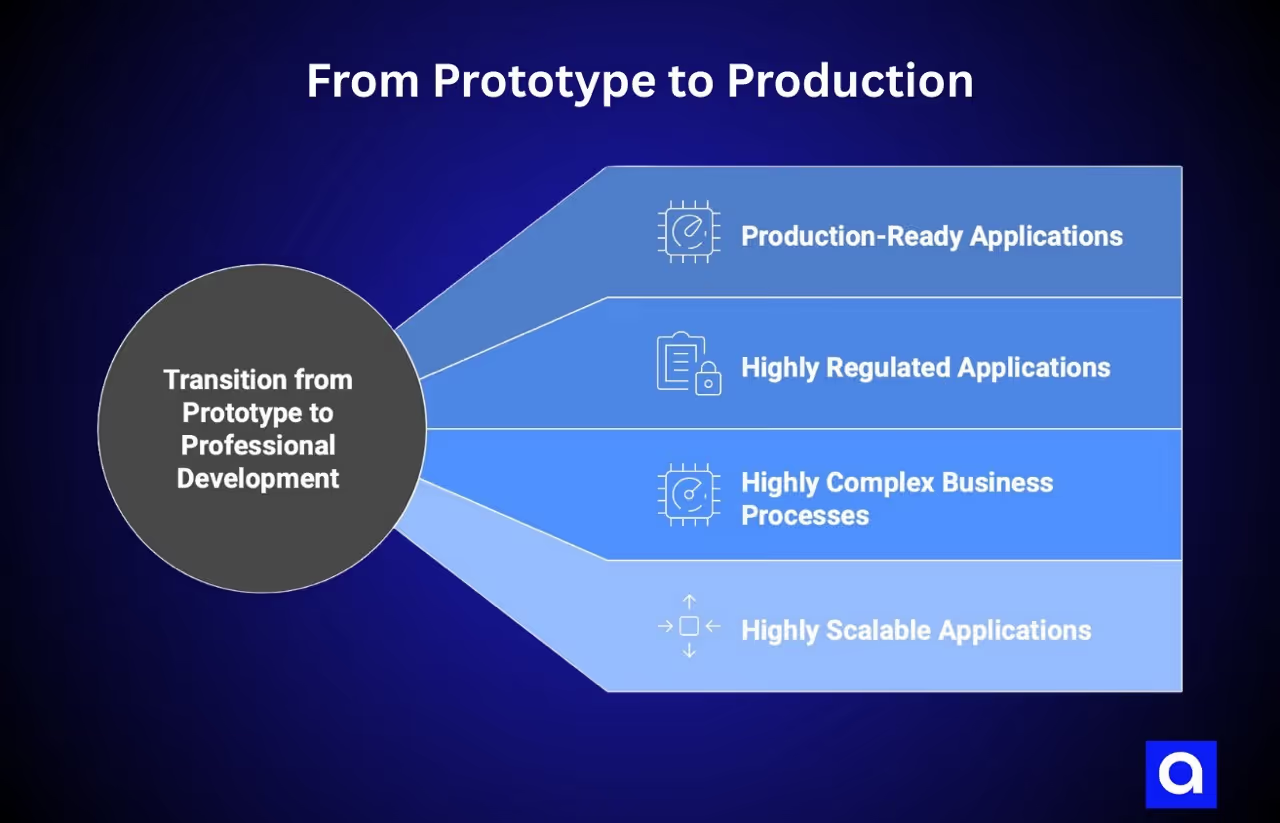
When to Transition from Prototype to Professional Development
Production-ready applications. Your application will need to be highly available (99.9%), monitored, and offer automated support in the event of incidents. It also needs to have redundancy built into it. Manuscannot help you design these systems.
Highly regulated applications. You may be building an application for the health industry, which must be HIPAA compliant, or an application for financial services that requires SOC2 compliance. Perhaps you are a government contractor and need to meet FedRAMP standards. These are not items that can be retrofitted to a prototype Manus has generated for you. They inform the overall design of the application from the bottom up and then from the top down.
Highly complex business processes. Perhaps you have a business process that requires multiple steps that involve decision-making. Or maybe you need to integrate with several legacy systems. Perhaps you have an architecture that is unique to your business that requires a bespoke application. These are use cases where you will need a human to help with the design of the system.
Highly scalable applications. An application that is going to be used by millions of users will require many optimizations, caching, database indexes, load balancing, and graceful handling when third-party APIs are not responding. They will also require advanced security measures to thwart real attacks.
Low-code development technologies are projected to be used for 75% of new application development by 2026, according to this report by Gartner. The point is not whether or not you should leverage AI. The point is when to bring in a team of professional developers.
Final Thoughts
Manus AI is a tool that is very useful when it comes to prototyping, research, and data analysis. It truly accelerates development. It truly automates. And it truly makes use of multiple models instead of a monolithic architecture.
But here is the bottom line: When it comes to mission-critical applications, Manus AI should only be used under the guidance of a qualified developer.
If you are a non-technical founder who needs to build an MVP, Manus AI can be very helpful. If you are a researcher who needs to perform data analysis, Manus AI can be very helpful. If you are a marketer who needs to do competitive research or generate blog posts, Manus AI can be very helpful.
But when your Manus AI prototype becomes a real application with real users? When your users depend on your application? When you are in a regulated industry? Or when you need to serve millions of users? That is when you need to hire developers who understand architecture, security, compliance, and infrastructure.
This is something that we have seen firsthand dozens of times at Azumo. Companies come to us with an application built with Manus AI (or other vibe-coding tools) that just isn’t robust enough to be in production. And we help them. We work with AI-generated code to build production-ready, SOC 2-certified, HIPAA-compliant applications that serve millions of users.
So if you have a Manus AI application that works, but you need it to be taken to the next level, feel free to reach out to us. We can take a look at the code and let you know what needs to be developed by a human. We can give you a very clear timeline of what it takes to get from prototype to production.
Let's discuss your project and see how we can help you take it to the next level.
Frequently Asked Questions

About the Author:
Head of Customer Success | Account Manager & Account Executive
Matias Margossian, Account Executive and Customer Success Manager with a finance background and tech expertise, blending business strategy, analytics, and client success.

.avif)