.svg)
.png)



The AI market crossed $184 billion in 2024 and is expected to grow past $826 billion by 2030. This isn’t just growth. It’s a clear signal that businesses are investing heavily in artificial intelligence.
If you’ve been wondering how to make an AI model for your business, you’re in the right place. Building AI isn’t limited to tech giants. With clear goals and the right process, companies of all sizes can develop models that support real-world use cases. That personalization is already widespread: how many students and teachers use AI shows 86% of students across 16 countries now use AI in their coursework, while 60% of U.S. K-12 teachers used AI tools during the 2024-2025 school year.
This guide walks you through the full process, from defining the problem to maintaining your model. At Azumo, we provide AI development services that help teams turn ideas into production-ready systems, and we’ll share practical lessons along the way.
Let's get into it.
Step 1: Define the Problem and Set Goals
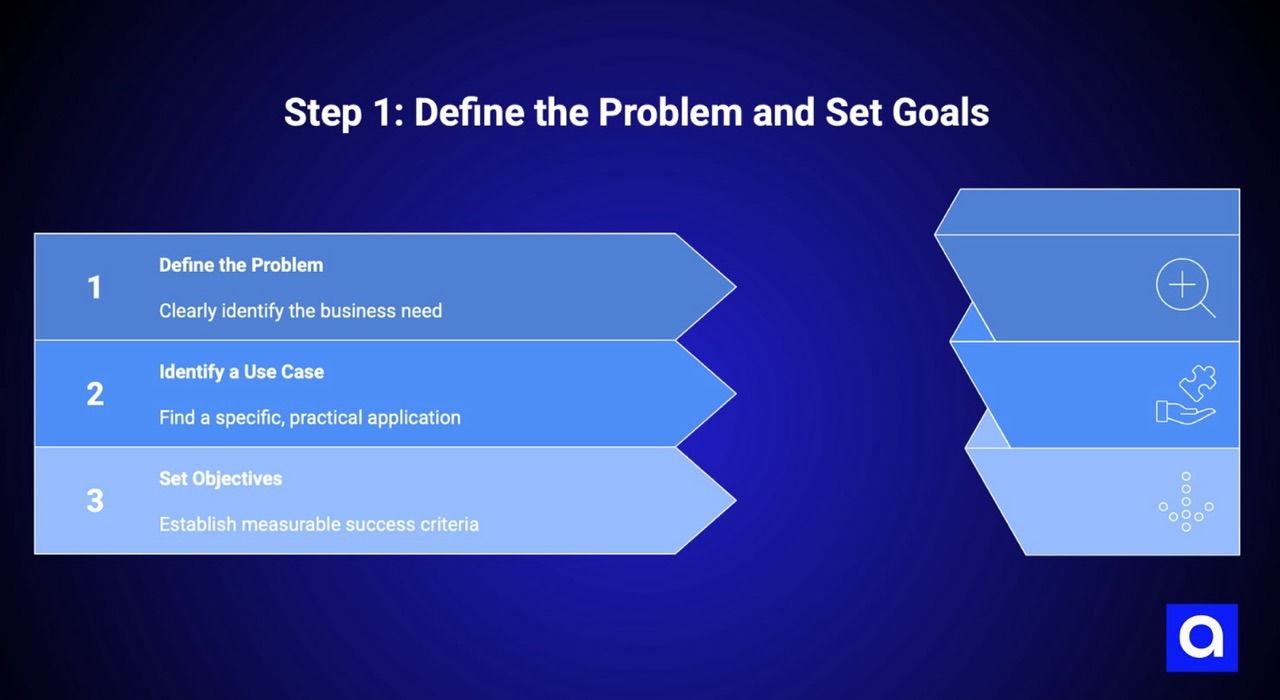
The first thing you need to do when learning how to create an AI model is to answer one simple question: what problem are you actually trying to solve?
This is where many AI projects go off track. Why? Because teams get excited about the technology and start building, only to realize later that the model doesn’t solve a real business need. Even the most advanced AI won’t deliver value if the problem itself isn’t clearly defined.
We’ve seen companies spend months developing models that technically worked, but didn’t move the business forward. That usually traces back to a vague or poorly framed problem.
Identify a Real Use Case
AI works best when it solves a specific, practical problem, not a broad ambition like “use AI to improve operations.”
Start by talking to the people closest to the work and ask questions like:
- Where are we making the same decisions over and over again?
- Which manual tasks consume the most time or resources?
- What data do we already have that we’re not fully using?
- What would improve if we could predict outcomes more accurately?
A clear problem sounds like this: “We want to predict which customers are likely to churn in the next 30 days so our retention team can act early.”
A vague problem sounds like this: “We want to use AI to improve the business.”
Only one of those gives you something concrete to build.
At Azumo, we focus heavily on this step with clients because clarifying the problem upfront saves time, budget, and frustration later.
Set Objectives and Success Metrics
Once the problem is clear, define what success actually looks like. Depending on the use case, your metrics will differ:
- For predictions or classifications, accuracy and precision matter
- For forecasting, error rates and reliability matter more
- For business outcomes, cost reduction or time saved is the real goal
For example, instead of “improve inventory management,” a stronger objective would be: “Reduce stockouts by 25% and lower excess inventory costs by 15% within six months.”
That kind of clarity aligns everyone. It also makes it much easier to evaluate whether the model is delivering real value.
The more clearly you define the problem and success criteria at the start, the smoother every step that follows will be.
Step 2: Gather and Prepare Data
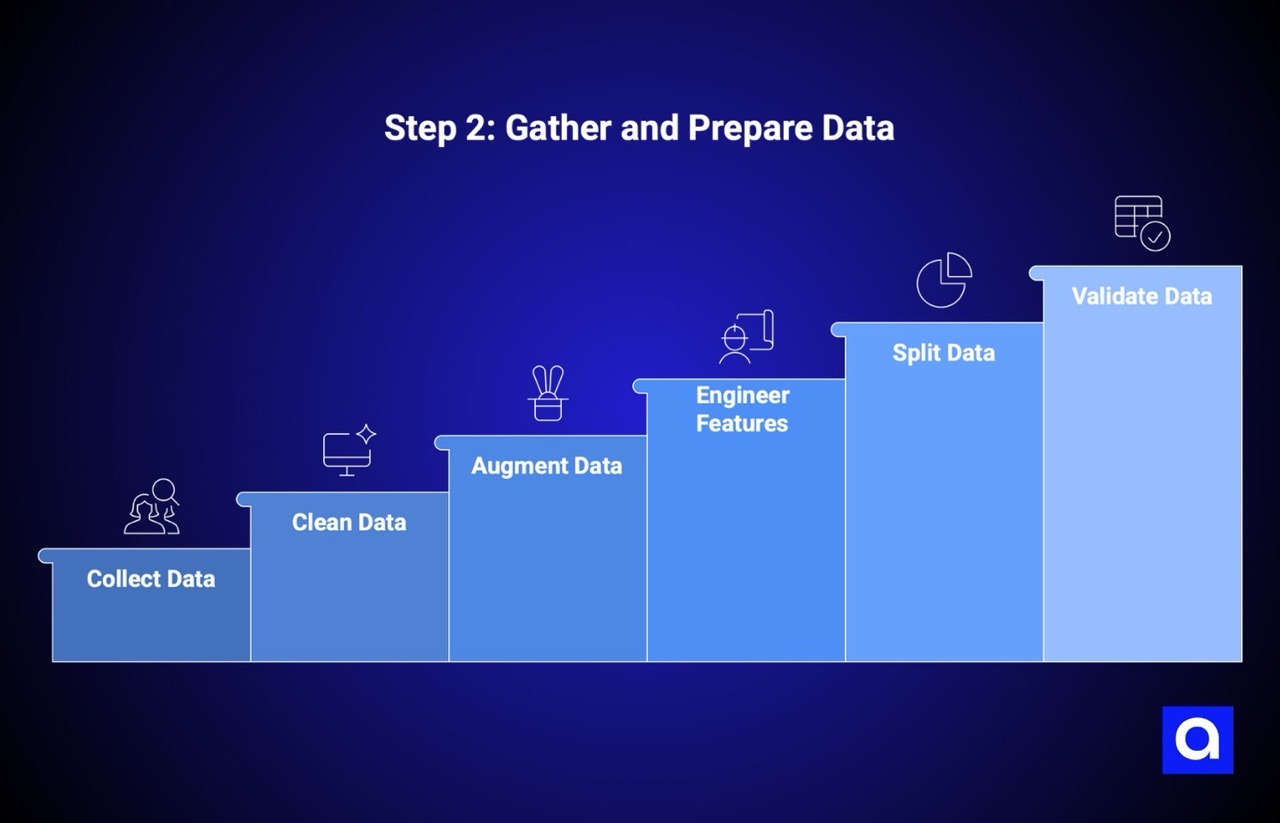
When learning how to create AI, data quality matters as much as the model itself. No matter how advanced your AI model is, it’s only as good as the data behind it. Poor data leads to poor results. High-quality data gives your model a real chance to perform well in real-world conditions.
Data is the foundation of every AI system. The accuracy, relevance, and consistency of what you feed the model directly shape what it can learn and how reliable it will be.
Before jumping in, it helps to understand the kinds of data you’ll work with.
Data Types:
- Structured data: Clean, organized data like spreadsheets or databases
- Unstructured data: Text, images, audio, or video that need extra processing
Both can power strong AI models, but each requires a different approach.
Collect Relevant Data
Your data should reflect how the model will be used in the real world. If you’re predicting equipment failures, you need data from real machines under real operating conditions. If you’re building recommendations, you need actual user behavior, not assumptions.
Common data sources include:
- Public datasets for learning or enrichment
- APIs that provide ongoing data access
- Web scraping for publicly available information
- Internal databases with business-specific data
- Sensor data from IoT or industrial systems
- Manual data collection when no other option exists
How much data you need depends on the problem. Simpler models can work with smaller datasets, while more complex models usually require far more examples to learn effectively.
You’ll also want to think about compliance early. Make sure you have the right to use the data, and confirm whether privacy regulations apply before moving forward.
Azumo's data engineering team has experience working with various data sources and can help you build the data infrastructure your AI project needs.
Clean and Refine the Data
Raw data is rarely usable as is. Cleaning it is time-consuming, but skipping this step almost always causes problems later.
Data cleaning typically includes:
- Removing duplicate records
- Handling missing or incomplete values
- Fixing obvious errors and inconsistencies
- Standardizing formats like dates and measurements
- Reviewing outliers to decide whether they’re errors or meaningful edge cases
This step often takes more time than model training itself, but it’s worth it. Clean data helps models learn faster and behave more predictably.
Consider Data Augmentation
Augmentation can help, when data is limited. This means creating additional training examples based on what you already have.
For example:
- Images can be rotated, flipped, or resized
- Text can be paraphrased or slightly reworded
- Tabular data can be expanded using synthetic data techniques
The goal isn’t to fake data. It’s to expose the model to more variation so it performs better when it encounters new situations.
Feature Engineering
Feature engineering is where business understanding is really important. It’s about turning raw data into signals the model can actually learn from.
Instead of feeding in basic inputs, you create features that reflect meaningful patterns. For example, transaction data can be transformed into purchase frequency, recent activity, or seasonal behavior.
Strong feature engineering relies on understanding the problem you’re solving. Knowing how your business operates helps you decide which transformations are meaningful and which ones add noise.
Data Splitting
Before training begins, your dataset should be divided into separate groups, each with a specific role.
- Training data: Used to teach the model and learn patterns
- Validation data: Used during development to adjust parameters and compare approaches
- Testing data: Used once to evaluate performance on unseen data
Keeping these datasets separate is essential. Reusing test data during development can lead to overly optimistic results that don’t hold up in real use.
Validate Data
Data validation acts as a final quality check before model training. It helps ensure the dataset is consistent, reliable, and aligned with what the model will see in production.
Validation helps detect issues such as:
- Incorrect data types or missing fields
- Unexpected distributions or abnormal values
- Labeling mistakes in training data
- Differences between historical data and incoming inputs
Addressing these problems early prevents wasted training cycles and makes model behavior easier to trust once deployed.
Step 3: Choose the Right Tools and Model
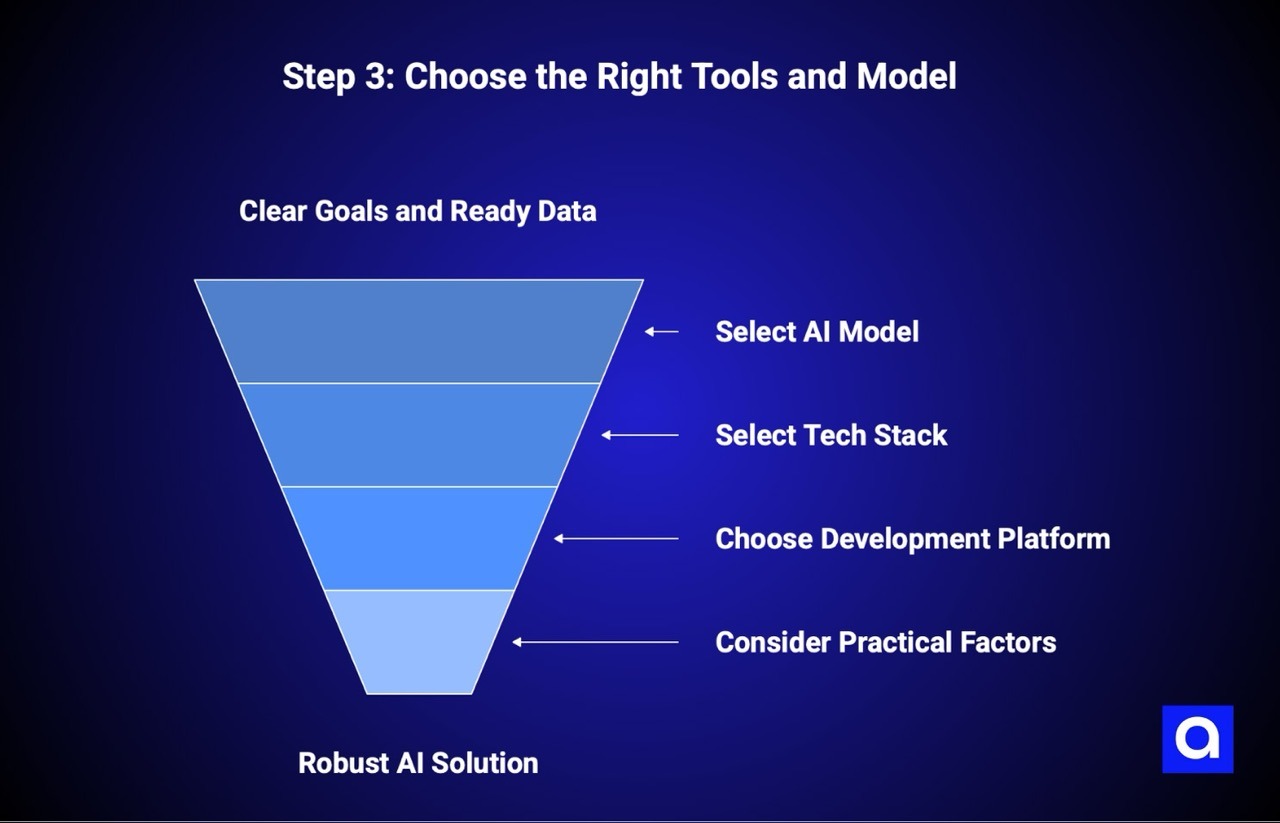
Once your data is ready and your goals are clear, the next decision is to choose the model and tools that will power your solution. This choice affects how fast you can build, how easy it is to deploy, and how painful long-term maintenance will be.
There’s no single “best” setup. The right choice depends on the problem you’re solving, the data you have, and the team that will maintain it.
Select an AI Model
Different problems require different types of models. The key is matching the model to the task, not forcing a complex approach where a simple one would work.
- Supervised learning is used when you have labeled data and clear outcomes. It’s common for churn prediction, spam detection, pricing models, and forecasting.
- Unsupervised learning helps uncover patterns in unlabeled data, such as customer segmentation or anomaly detection.
- Reinforcement learning is useful when decisions are made through ongoing feedback, like robotics, simulations, or adaptive systems.
- Neural networks and deep learning are best suited for image recognition, natural language processing, and sequential data, but they usually require more data and computing power.
If your use case requires decision-making, memory, or task execution across steps, you may want to focus on building an AI agent instead of a standalone model. We cover this in detail in our guide on how to build an AI agent, and explain how Azumo supports companies through custom solutions on our AI agent development company page.
A good rule of thumb is to start simple. What we mean by that is if a linear or tree-based model solves the problem well, there’s rarely a reason to jump straight into deep learning. Simpler models are easier to explain, debug, and maintain over time.
Select a Tech Stack
Your tech stack determines how quickly you can move from prototype to production and how easily you can maintain your solution over time.
Programming Languages & Frameworks
Python dominates AI development, and for good reason. It is widely recognized as a top AI programming language, as most popular AI and ML libraries are built specifically for Python.
Here's your toolkit:
- Python: The standard choice. Rich ecosystem, excellent libraries, huge community support.
- TensorFlow: Google's comprehensive open-source platform. Excellent for production deployment, especially on Google Cloud. Great for large-scale deep learning.
- Keras: A high-level API that runs on top of TensorFlow. Makes getting started easier while still giving you access to TensorFlow's power.
- PyTorch: Developed by Facebook (Meta), known for its intuitive design and research-friendly approach. Many developers find it easier to learn and debug.
- Scikit-learn: Perfect for traditional machine learning algorithms. If you're not doing deep learning, this is often where you start.
- Julia: Emerging option for high-performance computing. Worth watching if you need maximum speed.
- R: Strong for statistical analysis and data visualization. Common in academic and research settings.
- Java: Often used in enterprise environments where Java infrastructure already exists.
- Scala: Useful for big data processing, especially with Apache Spark.
Azumo brings strong expertise in Python development and Java development, helping clients build on the technologies that best fit their environment and requirements.
Choose the Right Platform for Development
Cloud platforms make it possible to train, deploy, and scale models without managing infrastructure from scratch.
Top AI Platforms
- Google Cloud AI focuses heavily on machine learning workflows, with tools like Vertex AI and strong support for data-intensive pipelines.
- Microsoft Azure Machine Learning integrates well with existing Microsoft environments and is often preferred by enterprises already using Azure services.
- AWS AI Services offer the broadest range of tools, including SageMaker and Bedrock, making it a common choice for teams that need flexibility and scale.
Each platform has strengths. The right one usually aligns with where your data already lives and how your systems are deployed today.
No-Code Platforms
No-code and low-code AI tools make it possible to build basic models using visual interfaces instead of writing code. They work well for prototypes, internal tools, and simple automation tasks.
The tradeoff is limited control. As requirements grow more complex, custom software development typically becomes necessary.
What to Consider When Choosing the AI Platform
When comparing platforms and tools, focus on a few practical factors:
- Capabilities: Does the platform support your specific use case without excessive workarounds?
- Cost: Look beyond compute pricing. Storage, data transfer, and inference costs add up quickly.
- Integration: The closer the platform fits your existing infrastructure, the smoother adoption will be.
- Support and ecosystem: Strong documentation, community resources, and enterprise support reduce friction once you’re in production.
Choosing the right tools early saves time, cost, and rework later. It also makes the difference between an AI model that looks good in a demo and one that holds up in real-world use.
Step 4: Develop the Algorithm
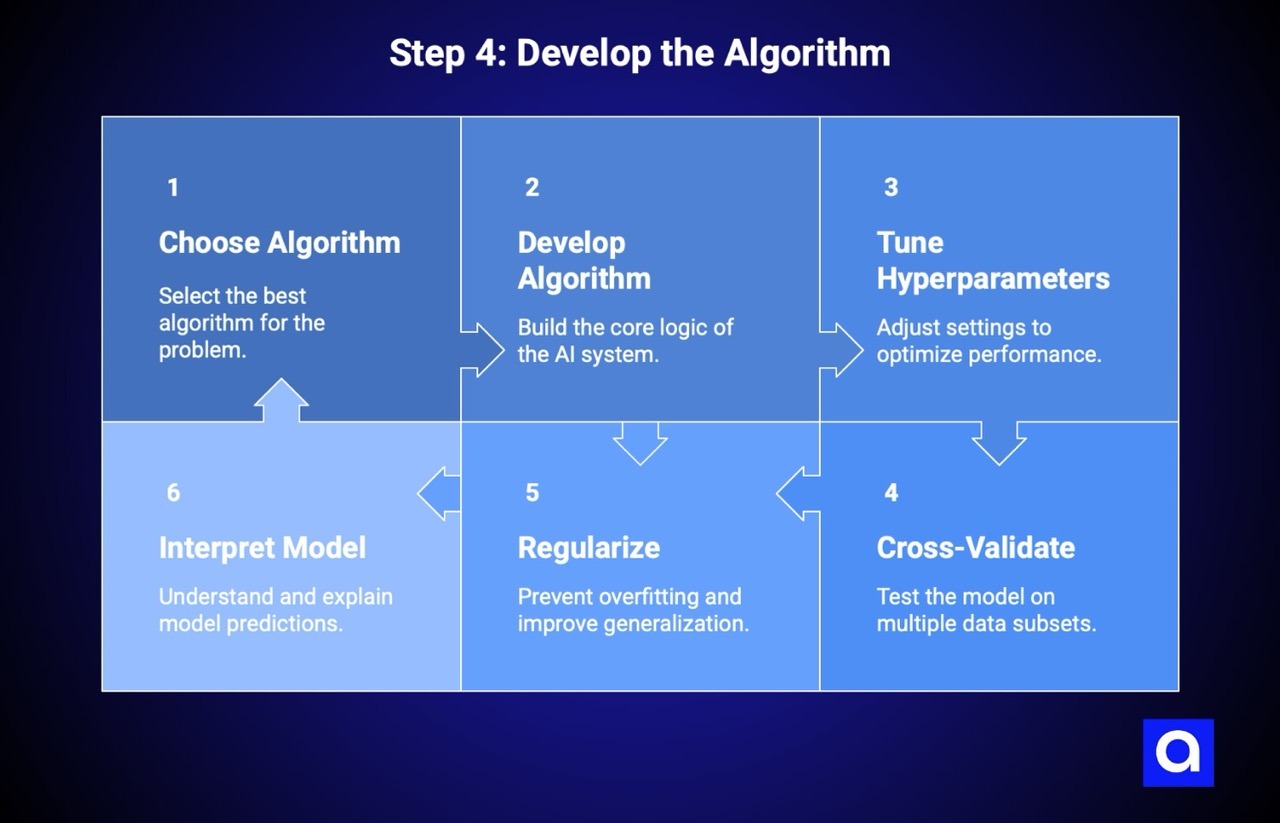
With your tools ready and data prepared, it is time to build the brains of your AI system. Algorithm development is where technical skill meets business goals, and the choices you make here will shape your model’s effectiveness.
Popular Algorithms to Consider
Different problems require different algorithms. Here is a breakdown of common options:
- Neural Networks: These consist of multiple layers and are great at identifying complex patterns. They are best when you have large datasets and complicated relationships to learn.
- Convolutional Neural Networks (CNNs): These are designed for images and video. They are used for tasks such as object detection, image classification, and facial recognition.
- Recurrent Neural Networks (RNNs): These are made for sequential data such as text, audio, or time series. They remember previous inputs, which is useful for tasks like language translation or analyzing customer feedback.
- K-Nearest Neighbors (KNN): This algorithm predicts outcomes based on the closest examples in your dataset. It works well for small datasets but can be slow on larger ones.
- Random Forests: An ensemble method that combines multiple decision trees. More robust than single decision trees, it handles overfitting better, and provides feature importance rankings. Great for structured data problems.
Choose the algorithm that fits your data type and the problem you are solving. CNNs work best for images. RNNs or Transformers are suitable for text. Random Forests are often strong for structured tabular data.
Ways to Improve an Algorithm's Performance
Building a model is only the first step. Making it effective requires careful tuning.
- Hyperparameter Tuning: This involves changing settings such as learning rate, batch size, number of layers, and regularization strength. Techniques like grid search, random search, or Bayesian optimization help find the best combination.
- Cross-Validation: Test the model across multiple subsets of data instead of a single train and test split. This gives a more accurate estimate of how the model will perform on new data.
- Regularization: Methods such as L1, L2, or dropout reduce overfitting and help the model generalize better.
- Model Interpretability: It is important that stakeholders can understand why the model makes certain predictions. Transparent models are easier to debug and gain support from the team.
Azumo's team has extensive experience optimizing algorithms for production environments, balancing performance with practical constraints like inference speed and resource usage.
Step 5: Train the Model
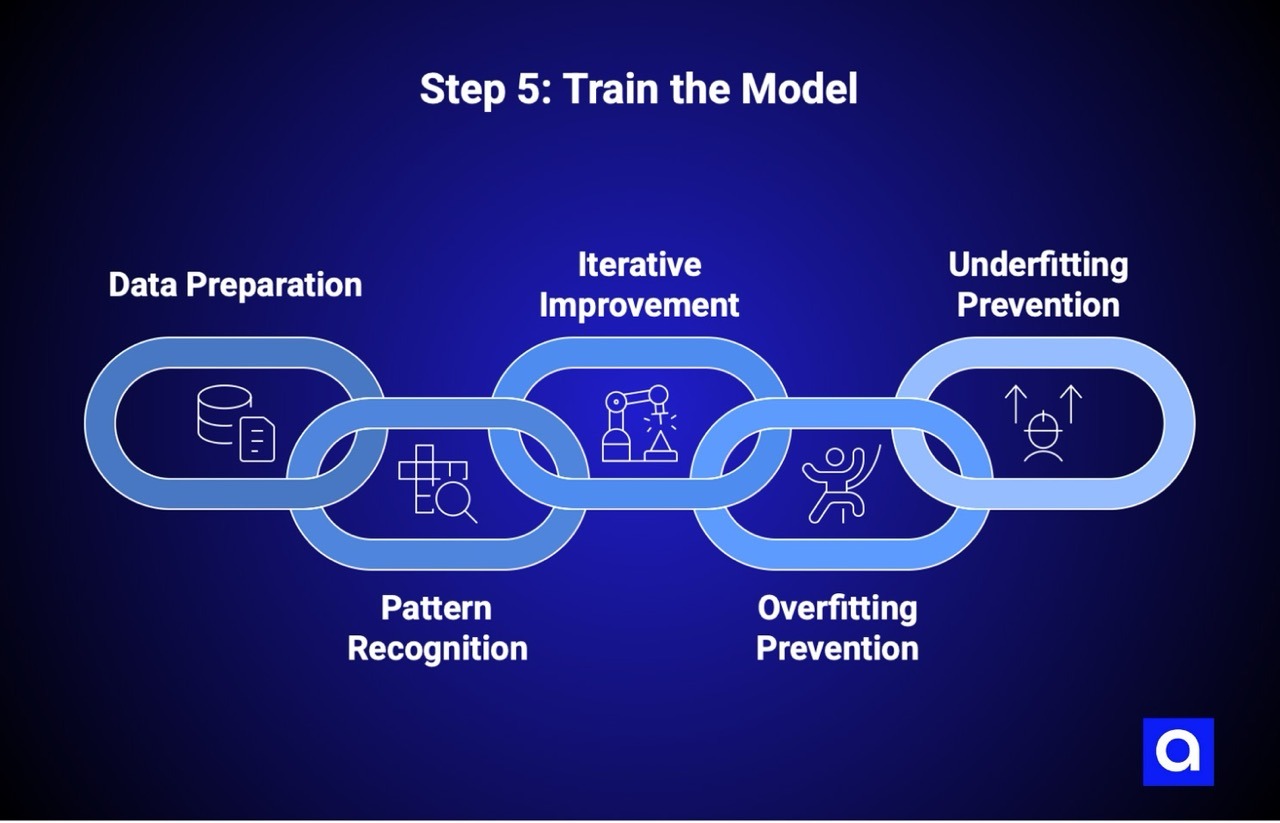
Training turns your algorithm into a model that can make useful predictions. During this stage, the model learns patterns from data by adjusting its internal parameters through repeated exposure to training examples.
Prepare Your Data for Training
Before training begins, verify that everything is in order:
- Check that training, validation, and test sets are correctly separated
- Ensure data formats match what your framework expects
- Verify your training pipeline handles edge cases
- Set up logging to monitor training progress
- Confirm you have enough compute resources
For deep learning, you will often need GPUs for reasonable training times. Simpler models on smaller datasets may run on a standard laptop. Plan your setup before beginning.
Pattern Recognition and Model Learning
Training is where your model actually learns from the data. It looks at examples, makes guesses, checks if it’s right, and adjusts itself. Imagine teaching someone to recognize handwriting. At first, all the letters look the same. After seeing enough examples, they start to tell them apart.
The same idea works for other tasks, like predicting which customers might leave, spotting broken equipment, or sorting emails. Tools like Keras and PyTorch do the heavy math for you. Your job is to watch, tweak, and make sure the model is learning the right patterns.
Fine-Tuning Through Iterative Improvement
Training is not a single step. Iteration is key to improving performance.
- Monitor validation performance to detect issues early
- Adjust learning rates to improve stability and precision
- Repeat training cycles while tuning hyperparameters for better results
If training accuracy keeps rising but validation accuracy stalls, the model may be overfitting. Iterative improvement helps avoid this.
Common Challenges During Model Training
- Overfitting happens when a model is too tuned to training data and fails on new data. Signs include a big gap between training and validation performance. Solutions include using more data, simplifying the model, applying regularization, adding dropout layers, or using early stopping.
- Underfitting occurs when the model is too simple to capture the data’s patterns. Signs include poor performance on both training and validation sets. Solutions include using a more complex model, adding features, training longer, or reducing regularization.
The goal is balance. Too complex leads to overfitting, too simple leads to underfitting.
Why Proper Training Matters
The purpose of training is not to make the model perfect on training data. It is to create a model that works well on new, unseen data. A model that only performs well in training is essentially useless in production. Proper training ensures the model can handle the variety and unpredictability of real-world data.
Step 6: Deploy and Iterate
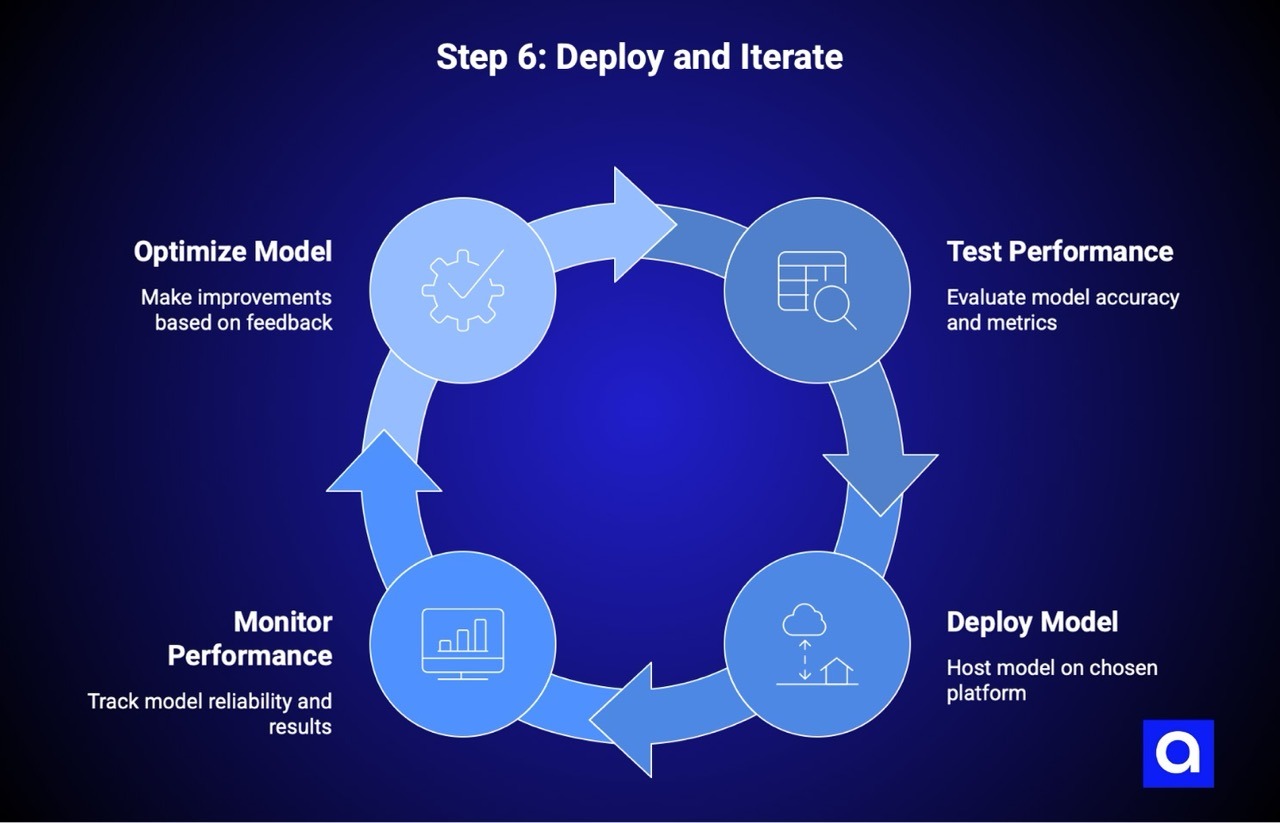
A model sitting on your laptop isn’t helping anyone. Deployment is what turns your trained AI into a working system that makes predictions on real data. But getting it live is not the finish line. It’s just the beginning.
Test & Optimize the Performance
Before you release your model, check how it performs on data it hasn’t seen before. Common ways to measure performance include:
- Accuracy: How often the model’s predictions are correct. Good for balanced datasets.
- Precision: Of all the positive predictions, how many are actually correct.
- Recall: Of all the actual positives, how many did the model catch.
- F1 Score: A balance between precision and recall, useful when both matter.
- Mean Squared Error: Measures average difference between predicted and actual values, useful for continuous data.
The metrics you focus on depend on your goals. For example, in fraud detection, you might want high recall to catch as many fraud cases as possible. For email filtering, precision may be more important to avoid sending important emails to spam.
It helps to test your model against what you already have. Run both in parallel and see which one performs better in real situations. This gives you confidence before making the new model the default.
Deploy the AI Model
Where and how you deploy depends on your needs:
- Cloud deployment: Host the model on AWS, Azure, or Google Cloud. This gives scalability and easier integration with other services.
- On-premise deployment: Keep the model in your own data center. Useful if you have strict privacy or regulatory requirements.
- Edge deployment: Run the model on devices or local machines. Good for IoT, real-time needs, or limited network connectivity.
After deployment, monitor performance. Make sure the model keeps producing reliable results. Set up ways to roll back to a previous version if something goes wrong. Proper monitoring and logging are essential to catch issues early.
Deployment is not a one-and-done step. Treat it as an ongoing process. Monitor results, learn from real-world feedback, and make improvements over time. This is how your AI continues to stay useful and relevant.
Step 7: Monitor & Update
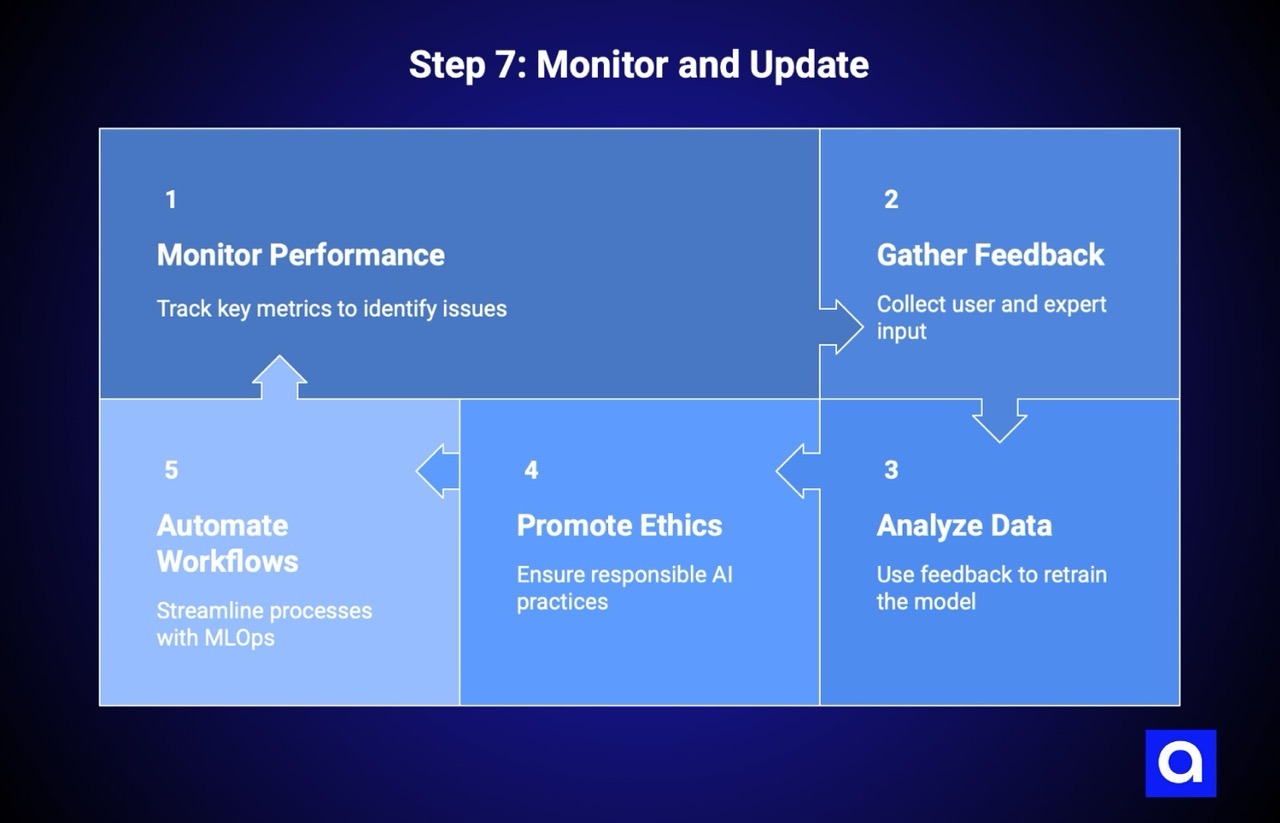
AI models do not improve on their own after deployment. User behavior changes and data patterns shift, so what worked six months ago may not work today. Monitoring is essential to keep your AI delivering value.
Monitor Model Performance
According to JFrog, model performance doesn't stay constant after deployment. It suffers from Model performance can degrade over time due to changes in input data, customer behavior, or system updates. Keep an eye on:
- Prediction accuracy: Compare predictions to actual outcomes once results are available
- Input data drift: Detect when new data differs from what the model was trained on
- Concept drift: Identify when the relationship between inputs and outputs changes
- System performance: Track latency, throughput, and error rates
- Business metrics: Ensure your model is impacting the KPIs it was designed to improve
Set up alerts for anomalies so you can react quickly before issues affect users. Tools like Prometheus, Grafana, the ELK Stack, and Evidently AI can help monitor performance effectively.
Use Feedback Loops to Enhance Your Model
Human feedback is critical for improving AI systems, especially for tasks like content ranking, recommendation engines, or code generation. Capture feedback through:
- Explicit feedback: Users rate predictions or flag errors
- Implicit feedback: Track behavior such as clicks, conversions, or engagement to infer usefulness
- Expert review: Domain specialists periodically check outputs for accuracy and relevance
This feedback becomes new training data that helps the model improve over time.
Analyze Data for Continuous Learning
AI systems are never truly finished. As data and user behavior change, your model will need updates. Many organizations retrain regularly, either on a set schedule or whenever monitoring detects significant changes.
Keep track of model versions, training data, and performance metrics. This makes it easier to debug issues and ensures transparency when updating or rolling back models.
Promote Responsible AI Practices
Ethical and legal considerations are part of maintaining AI. Protecting user data, preventing bias, and explaining model decisions are all necessary. Key points include:
- Data privacy: Follow regulations like GDPR or CCPA
- Algorithmic fairness: Avoid bias across groups
- Transparency: Be able to explain predictions clearly
- Accountability: Assign ownership for AI decisions and outcomes
- Environmental impact: Consider energy usage of training and retraining
Investing time in fairness and transparency protects both your business and your users.
Keep Your AI System Future-Ready
Automation helps maintain AI at scale. MLOps practices can automate workflows, from training to deployment and monitoring. Companies often progress from manual processes to fully automated pipelines that handle retraining and updates automatically.
Start small by automating the most time-consuming tasks and expand gradually. Consistent monitoring, feedback loops, and automation ensure your AI stays useful, reliable, and aligned with business goals over time.
As a top AI development company, we provide ongoing support and optimization to help clients maintain and improve their AI systems over time.
What Are Real-World Uses of DIY AI?
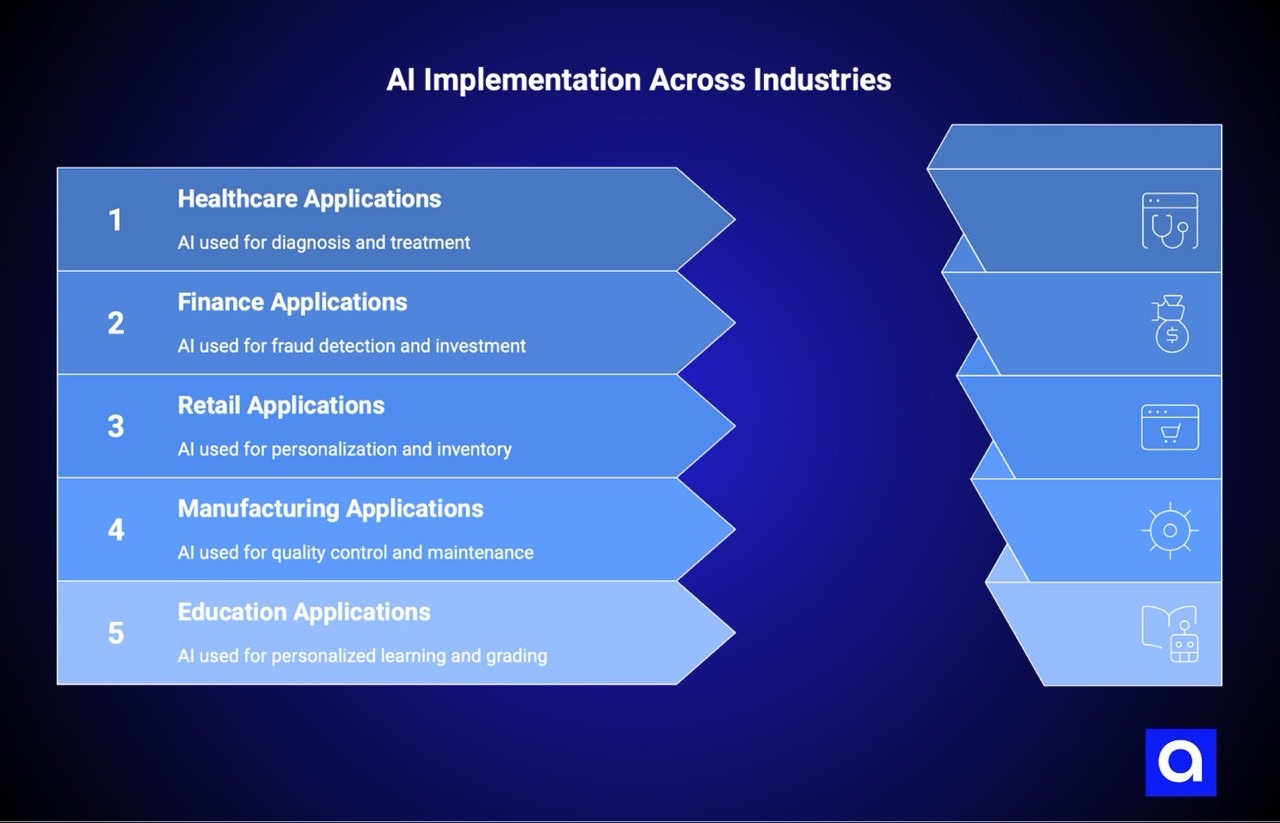
Theory is one thing, but seeing AI in action makes it real. AI models solve business problems across different industries.
How Is an AI Model Used in Healthcare?
AI helps detect diseases early, plan treatments for individual patients, and monitor health continuously. Examples include tools for reading medical images, assisting in surgery, finding new drugs, and providing virtual health support. Many healthcare organizations use AI to make diagnosis and treatment decisions more accurate.
How Does an AI Model Help in Finance?
AI helps banks and finance teams catch fraud, make investment choices, and provide better customer service. Algorithms can find suspicious activity or patterns that humans might miss, helping companies work more safely and efficiently.
How Can an AI Model Improve Retail and E-Commerce?
Retailers use AI to suggest products to customers, predict demand, manage stock, and organize customer flow. Online stores use AI to personalize shopping, answer questions automatically, manage inventory, and create product descriptions or outfit suggestions.
How Is an AI Model Applied in Manufacturing?
AI helps manufacturers reduce downtime, improve product quality, and run production lines more effectively. Companies use AI for maintenance predictions and to check products for defects, which saves time and money.
How Can an AI Model Support Education?
AI helps teachers and students. It can adjust lessons to each student’s performance, grade assignments automatically, and support virtual classrooms. AI also helps teachers plan lessons and understand how students learn best.
Across industries, AI moves from ideas to action and helps companies solve real problems and get practical results.
What Are the Best Practices for Building an AI Model?
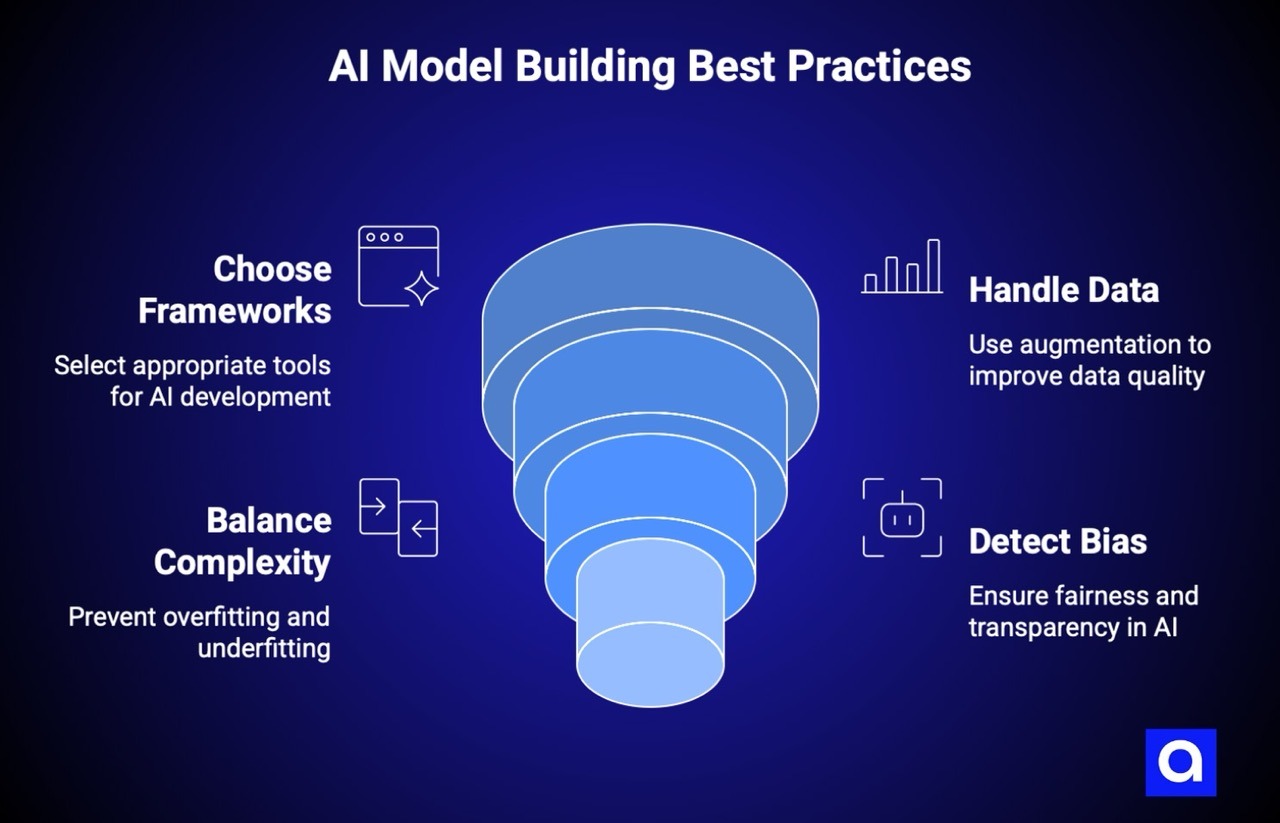
Building AI models is challenging. These best practices, learned from successful implementations, will save you time and frustration.
Choose the Right Frameworks and Tools for AI Development
Select tools that align with your project requirements, team expertise, and scalability needs. Python with TensorFlow or PyTorch remains the industry standard for most AI projects.
Consider:
- What does your team already know?
- What will the production environment look like?
- How will this integrate with existing systems?
- What's the learning curve for alternatives?
Don't chase the newest framework for novelty's sake. Pick stable, well-supported tools with active communities. When you hit problems (and you will), you want abundant documentation and Stack Overflow answers.
Handle Low-Quality Data Using Data Augmentation Techniques
We recommend using advanced data collection and preprocessing methods to create high-quality datasets. Apply data augmentation techniques to artificially expand the size and diversity of training datasets.
Specific techniques vary by data type:
- Images: Rotation, flipping, cropping, color adjustment, adding noise
- Text: Synonym replacement, back-translation, paraphrasing
- Tabular data: SMOTE for handling class imbalance, synthetic data generation
- Time series: Window slicing, noise injection, time warping
Augmentation doesn't replace the need for quality data, but it helps when you have limited examples. The key is ensuring augmented examples remain realistic and representative of real-world scenarios.
Balance Model Complexity to Prevent Overfitting and Underfitting
It’s important to carefully select model complexity and architecture to strike the right balance between bias and variance.
Use cross-validation to assess performance on unseen data. Apply regularization methods to add constraints that prevent excessive complexity. Start simple and add complexity only when needed.
Early stopping monitors validation performance during training and halts when it stops improving, preventing the model from memorizing training data.
The sweet spot varies by problem. Some problems genuinely require complex models. Others achieve excellent results with simple approaches. Let your data and validation metrics guide you.
Detect and Minimize Bias in AI Models
We’d say that maintaining fairness in AI models demands significant time and resources for auditing and fine-tuning.
Steps to address bias:
- Audit your training data: Does it represent all relevant groups fairly?
- Test across subgroups: Does performance vary by demographic category?
- Use explainable AI techniques: Understand what factors drive predictions
- Establish regular review processes: Bias can emerge over time as data changes
- Involve diverse perspectives: People with different backgrounds catch different issues
Explainable AI (XAI) techniques help you understand why models make specific decisions. This transparency makes it easier to identify and correct bias.
What Are Common Challenges When Creating an AI Model?
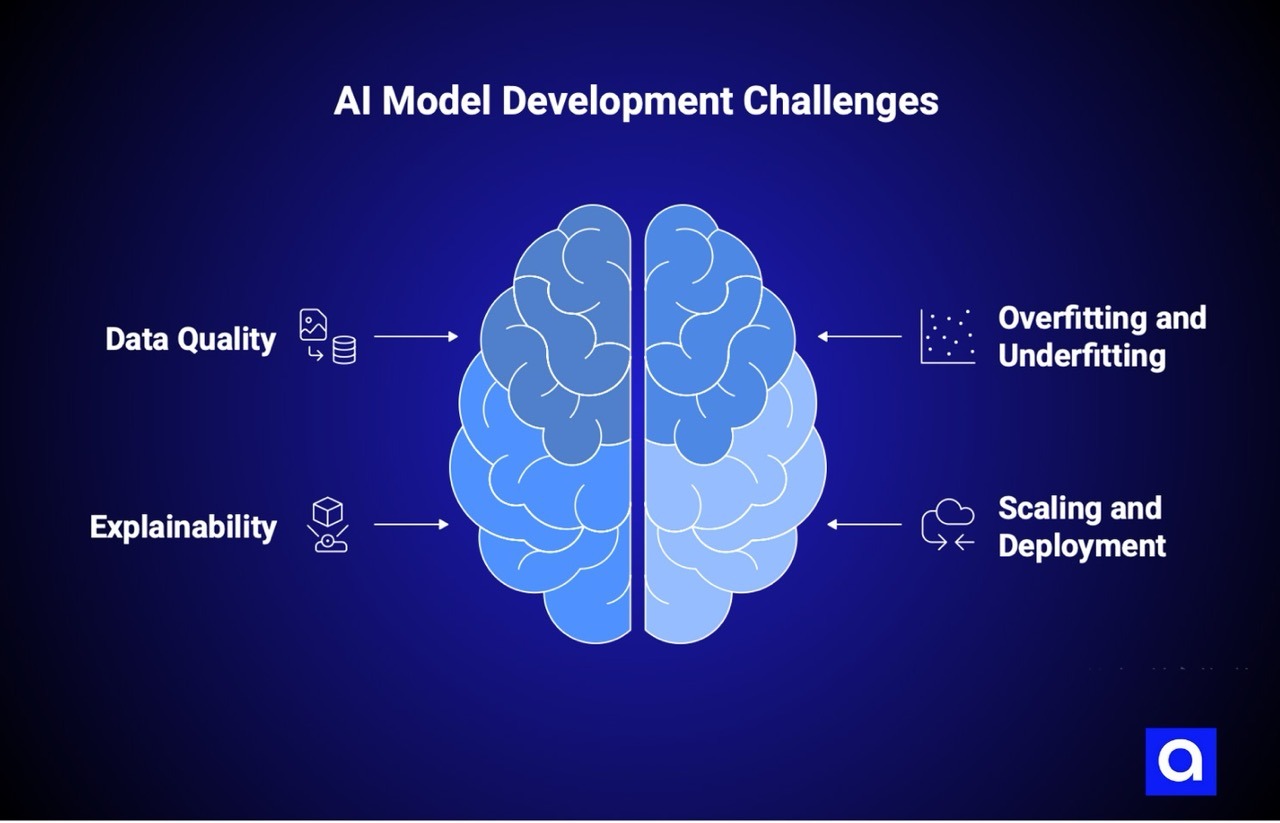
Every AI project hits obstacles. Knowing what to expect helps you prepare and respond effectively.
Ensuring Enough High-Quality Data
Our experts say that when data is insufficient or of poor quality, it can greatly reduce model effectiveness and limit real-world impact.
Common data challenges:
- Not enough examples of rare events (fraud, equipment failures)
- Historical data doesn't reflect current conditions
- Data silos across departments
- Missing labels or inconsistent labeling
- Privacy restrictions limiting data use
Solutions include data augmentation, transfer learning (using models pre-trained on related tasks), synthetic data generation, and partnerships for data access.
Dealing with Overfitting and Underfitting Issues
It’s not a secret that overfitting occurs when a model memorizes training data, picking up noise rather than actual patterns. Underfitting happens when the model is too simple to capture data complexity.
Detection starts with monitoring both training and validation metrics. A growing gap between them signals overfitting. Poor performance on both signals underfitting.
Solutions for overfitting: More data, regularization, simpler models, dropout, early stopping.
Solutions for underfitting: More complex models, better features, longer training, less regularization.
Making AI Models More Explainable
As machine learning models become increasingly complex, their decision-making processes often lack transparency. This "black box" characteristic makes it harder to interpret and trust outputs.
Explainability matters especially for:
- Regulated industries requiring justification for decisions
- High-stakes applications where errors carry significant consequences
- Building trust with users and stakeholders
- Debugging when things go wrong
Techniques like SHAP values, LIME, attention visualization, and feature importance rankings help open the black box. Some applications may require choosing simpler, inherently interpretable models over more powerful but opaque alternatives.
Scaling and Deploying AI Models Effectively
According to Lamatic, scaling machine learning models to handle large datasets and complex computations can be a major challenge. Deploying and maintaining AI solutions after development also incurs costs.
Scaling challenges include:
- Infrastructure costs that grow with usage
- Latency requirements for real-time applications
- Handling traffic spikes gracefully
- Maintaining model versions across environments
- Coordination between data scientists and operations teams
MLOps practices address many of these challenges through automation, standardized workflows, and continuous monitoring.
Azumo helps clients scale effectively by applying proven patterns for ML infrastructure and deployment.
What Are Other Options to Create an AI Model?
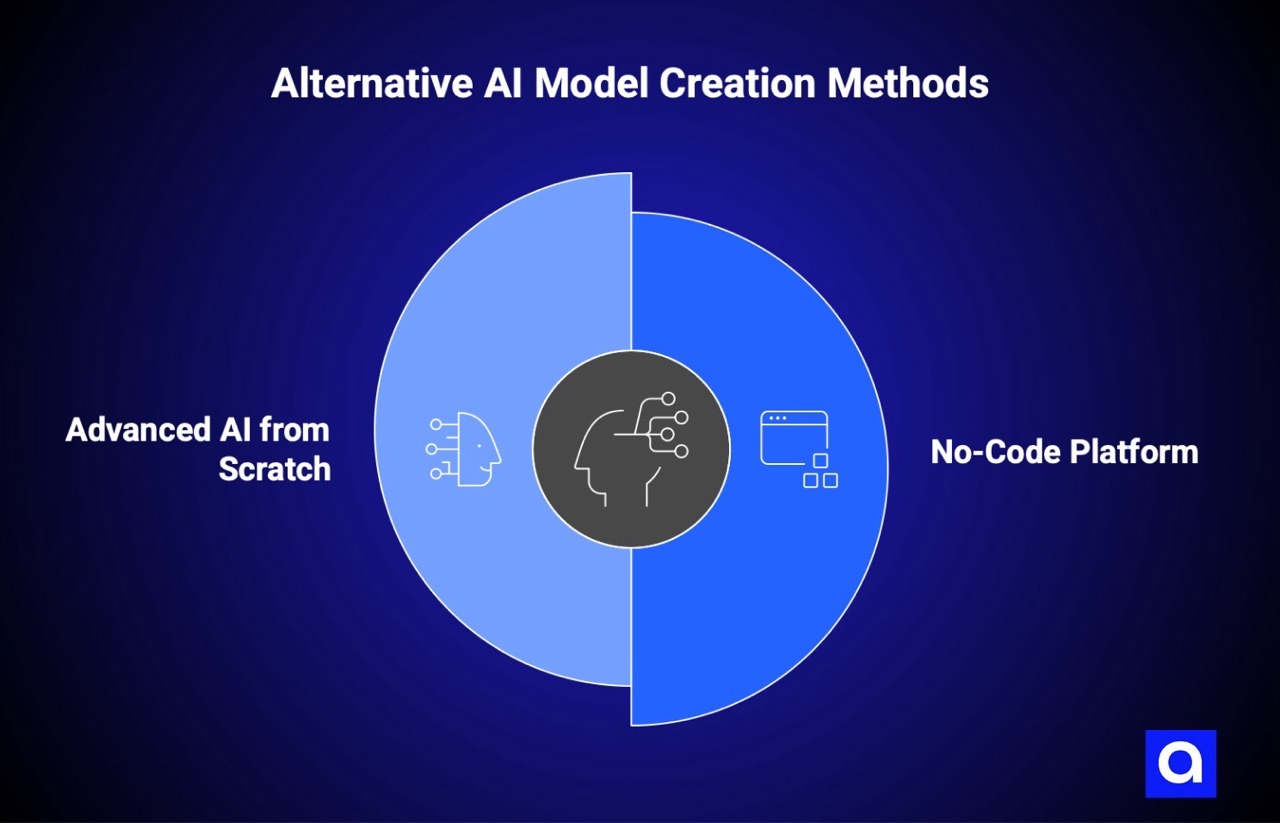
Building an AI model from scratch isn't your only option. Depending on your situation, alternative approaches might be faster, cheaper, or more practical.
Use a No-Code Platform
No-code AI platforms allow you to build, train, and run AI models without writing any code. These tools use visual interfaces and drag-and-drop controls to make the process easier.
Define the Purpose
Start by clearly articulating what you want the AI to accomplish. What problem are you solving? What outcomes do you expect? No-code doesn't mean no planning. You still need clear objectives.
Choose a Platform
Popular options include:
- DataRobot: Enterprise-focused automated machine learning
- Google AutoML: Integration with the Google Cloud ecosystem
- BuildFire AI: App-focused AI capabilities
- Microsoft Power Platform: AI Builder for Office 365 integration
Evaluate based on your use case, data requirements, pricing, and integration needs.
Provide Data
Upload or connect your data sources. Most platforms guide you through data preparation, flagging issues and suggesting fixes. The platform handles the technical details of formatting and preprocessing.
Deploy and Monitor
Launch the model and track performance. Most platforms include monitoring dashboards showing predictions, accuracy metrics, and usage patterns.
Pros of no-code:
- Rapid development and deployment
- No coding expertise required
- Cost-effective for simple use cases
- Quick prototyping and iteration
Cons of no-code:
- Limited customization options
- May not handle complex scenarios
- Vendor lock-in concerns
- Less control over model architecture
Create an Advanced AI from Scratch
Building from scratch provides maximum control but requires significant resources.
Pros:
- Complete control over architecture and implementation
- Ability to optimize for specific use cases
- No vendor dependencies
- Full intellectual property ownership
- Custom integrations possible
- Unique competitive advantages
Cons:
- Requires deep technical expertise
- Time-intensive development process
- Higher initial costs
- Ongoing maintenance burden
- Longer time to market
- Need for specialized talent
Building from scratch makes sense when you need capabilities that don't exist in off-the-shelf solutions, when AI is central to your competitive advantage, or when you have specific performance or integration requirements that platforms can't meet.
What to Consider When Choosing the Right Approach
Your situation determines which approach makes sense. Here's a decision framework:
Experiment or automate: No-code
Best for:
- First-time AI users testing the waters
- Simple automation of well-defined tasks
- Rapid prototyping before a larger investment
- Organizations without dedicated ML engineers
Considerations: Limited customization, potential vendor lock-in
Time to value: Fastest
Investment level: Lowest
Build a custom solution with more control: Traditional programming
Best for:
- Unique requirements that platforms can't address
- Organizations with technical talent
- Proprietary features that differentiate your business
- Specific optimization requirements
Considerations: Moderate complexity, need for ML expertise
Time to value: Moderate
Investment level: Moderate
Advanced, specialized applications: Partner with specialists
Best for:
- Cutting-edge capabilities requiring deep expertise
- Mission-critical applications where failure is expensive
- Complex integrations across multiple systems
- Strategic initiatives where getting it right matters more than getting it fast
Considerations: Highest customization, strategic importance
Time to value: Varies based on scope
Investment level: Highest upfront, often best long-term value
Azumo specializes in helping companies build custom AI solutions, whether you need an extension of your team or a full implementation partner. We bring the expertise to handle complex projects while working collaboratively with your organization. Contact us to discuss your project and see how we can support your team.
Conclusion
Building an AI model involves seven connected steps: defining your problem, gathering and preparing data, selecting tools and models, developing algorithms, training your model, deploying to production, and continuously monitoring and updating.
Each step matters. Skip problem definition, and you'll build the wrong thing. Neglect data quality, and your model won't perform. Choose the wrong tools, and you'll fight unnecessary battles. Skimp on monitoring, and your model will degrade without you knowing.
Azumo helps companies turn AI ideas into working solutions. If you want to explore how AI can impact your business, contact us
Frequently Asked Questions

About the Author:
Head of Customer Success | Account Manager & Account Executive
Matias Margossian, Account Executive and Customer Success Manager with a finance background and tech expertise, blending business strategy, analytics, and client success.



.avif)