.svg)
.png)


.avif)
AI has reduced the average cost of video production by around 91%, while significantly shortening production timelines for short-form content.
Creative teams can now generate marketing videos, training content, social clips, and product demos in minutes instead of days.
In this guide, we break down the best AI video generation tools for creative teams in 2026, comparing them across video quality, creative control, collaboration features, integrations, and pricing.
What Are AI Video Generation Tools?
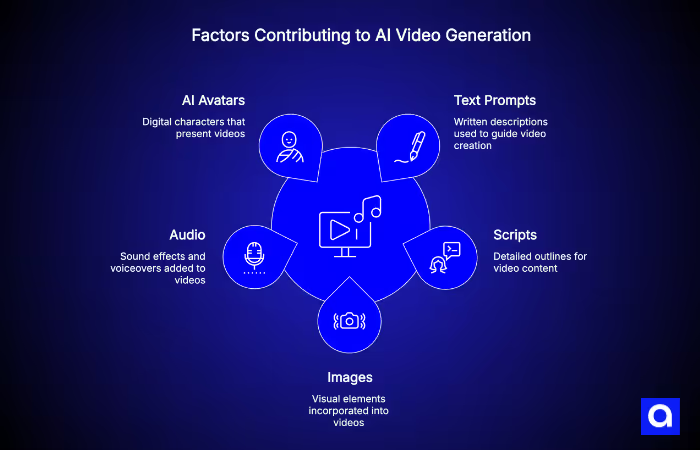
AI video generation tools are platforms that use artificial intelligence to create videos from text prompts, scripts, images, or audio, without needing a traditional filming process.
Some tools generate cinematic scenes from a written description, while others create presenter-style videos using AI avatars. The main advantage is speed: they help teams turn ideas into finished videos much faster and at a lower cost.
Text-to-Video vs Avatar-Based AI Video Tools
Most AI video tools fall into two main categories, and choosing the right one depends on the type of content you create.
- Text-to-video platforms like Google Veo, Runway, Kling AI, Pika, and Luma Dream Machine generate cinematic or stylized footage from written prompts. These tools are commonly used for creative campaigns, product visuals, storyboards, and social media content.
- Avatar-based platforms like Synthesia and HeyGen create presenter-led videos using realistic AI avatars and voiceovers. They are widely used for training videos, onboarding materials, customer education, and multilingual business communication.
Some platforms, like LTX Studio, blend both capabilities into a single production environment.
Why Creative Teams Use AI Video Platforms
Creative teams use AI video tools because they make production faster, easier, and more scalable. Videos that once required filming, editing, and large production budgets can now be created in minutes.
These platforms also reduce costs significantly, support fast multilingual content creation, and allow non-technical team members to produce professional-looking videos without cameras or editing experience. According to the Animoto 2026 State of Video Report, 84% of marketers now use AI as part of their video production workflow.
What Features Should Creative Teams Look for in AI Video Generation Tools?
The best AI video platform is not always the one with the most impressive demo. The right choice depends on how your team creates, edits, reviews, and publishes content every day.
Collaboration and Shared Workspaces
Most creative projects involve multiple people, so collaboration features matter. Look for tools that support shared workspaces, multi-user access, asset libraries, and project permissions.
Platforms like Descript support collaborative editing, while HeyGen, Synthesia, and LTX Studio offer team-focused plans built for larger creative workflows.
Brand Consistency and Asset Management
AI-generated content still needs to match your brand style and voice. Features like brand kits, reusable templates, custom avatars, and reference images help teams keep videos visually consistent.
For example, Synthesia supports custom avatar creation, while Runway helps maintain visual consistency across scenes using reference images and editing controls.
Editing and Customization Capabilities
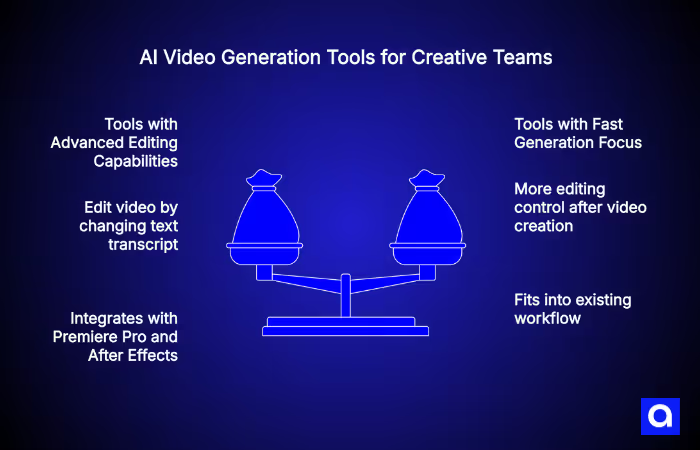
Some AI video tools are designed for fast generation, while others give teams more editing control after the video is created.
Descript allows users to edit video by changing the text transcript, while Adobe Firefly integrates directly with Premiere Pro and After Effects for more advanced editing workflows.
Voiceovers, Avatars, and AI Narration
For training, marketing, and global communication, multilingual voice and avatar support are increasingly important.
Synthesia and HeyGen support a large number of languages and realistic AI presenters, while newer models like Google Veo can also generate synchronized sound effects and dialogue directly inside the video.
Integrations With Creative and Marketing Tools
The best AI video tools fit into your existing workflow instead of replacing it completely.
Many platforms connect with editing software, LMS systems, APIs, and marketing tools. This makes it easier for creative teams to automate publishing, localization, approvals, and content management inside larger production pipelines. Teams that also rely on AI SDR tools for outbound sales will find that video content generated at scale integrates naturally into automated outreach sequences.
How Azumo Helps Businesses Build AI Video and Creative Automation Solutions
AI video platforms are powerful, but many teams eventually run into limitations. Off-the-shelf tools often struggle with custom workflows, strict brand requirements, proprietary data, or large-scale content automation.
Since 2016, Azumo has helped enterprises and startups build custom AI video and creative automation systems, including generative AI solutions for large-scale content production.
Our work usually focuses on three areas:
- Custom AI video workflows built around brand guidelines, internal data, and compliance requirements
- Integration of platforms like Runway, HeyGen, and Veo into existing marketing and content systems
- Automated pipelines that generate, personalize, and publish video content at scale, supported by robust MLOps development practices to keep models performing reliably in production.
We also help businesses connect AI video generation with broader AI agent workflows, internal tools, and creative operations systems. For teams that need video content to adapt dynamically to user queries or internal knowledge bases, we integrate RAG development to ground generated scripts and narration in accurate, up-to-date business data.
If your team wants to move beyond standard SaaS tools and build custom AI-powered creative workflows, contact us and explore Azumo's AI development services and AI agent development services.
Best AI Video Generation Tools for Creative Teams
Below are some of the best AI video generation platforms available in 2026. Each tool serves a different type of workflow, from cinematic video creation and avatar-based training content to collaborative editing and large-scale marketing production։
Quick Comparison of the Best AI Video Generation Tools
Google Veo: Best AI Video Generation Tool for Cinematic Video Creation
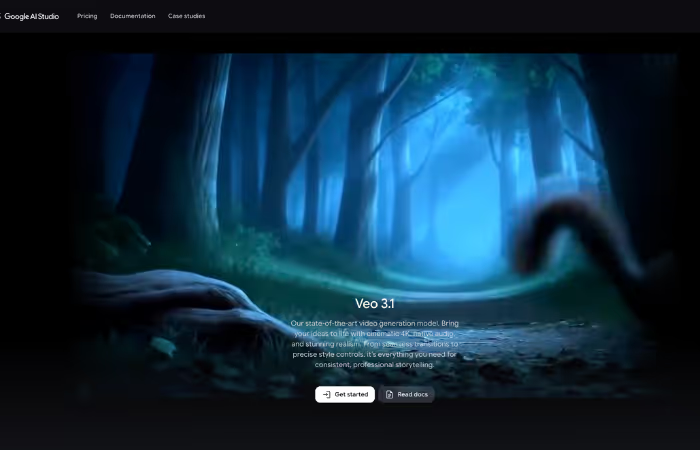
Google Veo 3.1 is one of the most advanced AI video models available in 2026. Built by Google DeepMind, it can generate high-quality 4K video from text prompts or images while also creating synchronized audio like dialogue, music, and background sound.
The platform focuses heavily on cinematic quality, realistic motion, and scene consistency. It also includes SynthID watermarking to help identify AI-generated content. Users can access Veo through Google Flow, Gemini, and other Google platforms.
Best for: Brands and creative teams producing cinematic marketing content, concept videos, and pre-visualization without a full production setup.
Synthesia: Best AI Video Generator for Training and Corporate Videos
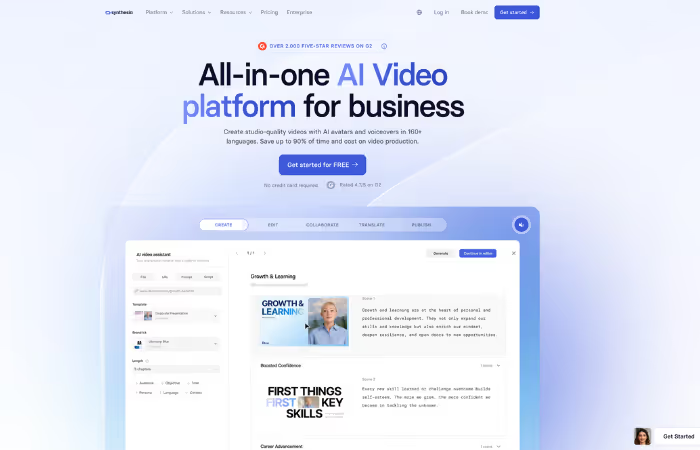
Synthesia is one of the most widely used AI avatar platforms for business communication and training content. It allows teams to create presenter-style videos using AI avatars and voiceovers in more than 160 languages.
The platform includes features like accurate lip-sync, SCORM and LMS integration, team collaboration, and enterprise security compliance. Its NLP development services underpin the script-to-speech pipeline, enabling natural-sounding narration across languages without re-recording. Its structured workflow makes it especially useful for internal business content rather than creative storytelling.
Best for: Corporate training, onboarding, compliance videos, customer education, and multilingual internal communication.
Runway: Best AI Video Tool for Creative Editing and Visual Effects
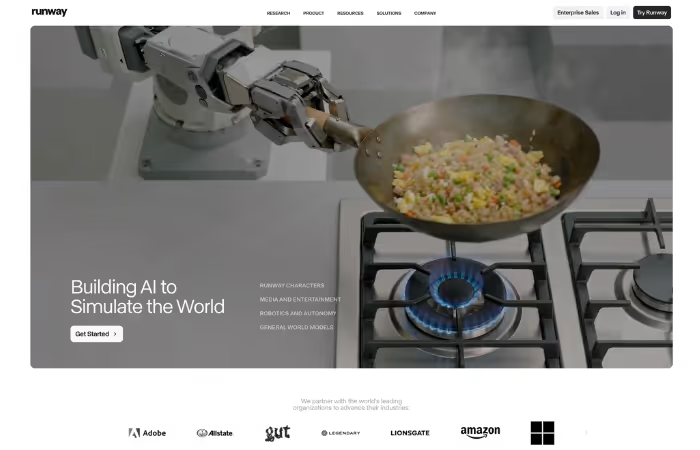
Runway is a creative-focused AI video platform built for teams that want more editing control and cinematic flexibility.
Its latest models support consistent characters across scenes, advanced motion editing, and AI-assisted visual effects. Features like Motion Brush and reference image controls help creative teams maintain style consistency across multiple shots.
Runway also includes post-production tools that make it popular with agencies, studios, and creative teams working on advertising and branded content.
Best for: Agencies, creative studios, and marketing teams producing ad campaigns, branded videos, and visual effects content.
Kling AI: Best AI Video Generator for Realistic Motion and Visual Quality
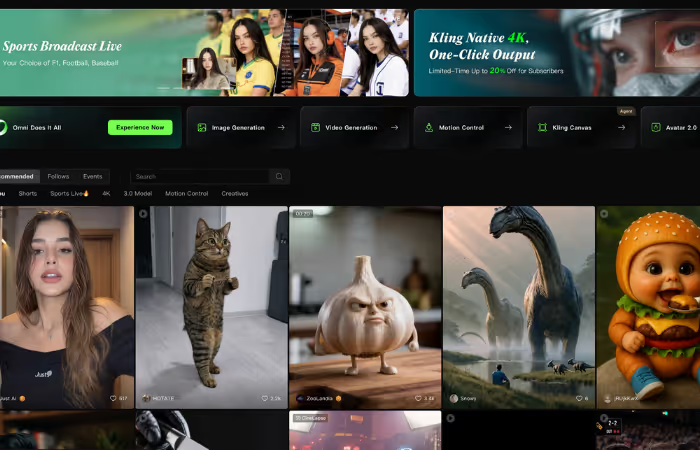
Kling AI is known for generating highly realistic movement and strong image-to-video quality. It supports advanced camera motion, multi-shot consistency, and realistic character animation. Under the hood, this realism relies on computer vision development techniques that allow the model to interpret spatial relationships and motion cues from reference images.
The platform is especially strong for UGC-style content, talking-head videos, and social media visuals where natural movement matters. It also supports long-form avatar generation and high-resolution 4K output. Kling AI includes API access for teams building automated video workflows at scale.
Best for: Marketing teams, creators, and brands producing realistic social content, image-to-video animations, and scalable short-form video campaigns.
Luma Dream Machine: Best AI Video Tool for Fast Cinematic Scene Generation
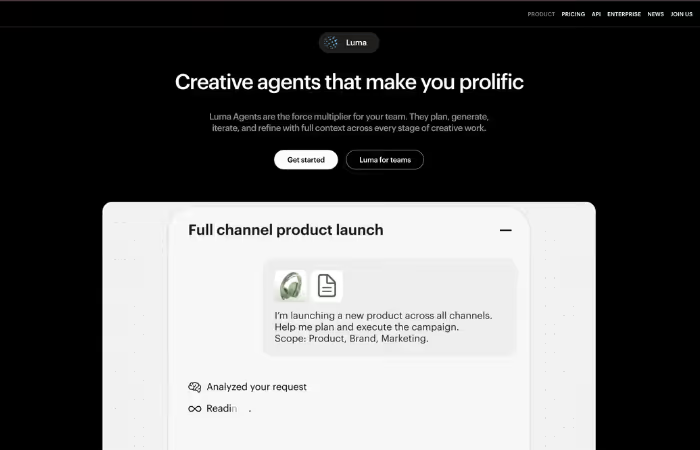
Luma Dream Machine is designed for fast AI video creation and rapid visual experimentation. Powered by the Ray3 models, it generates cinematic video with realistic motion and high-quality visuals in a short amount of time.
One of its most useful features is Reframe, which allows teams to resize and adapt videos for different platforms without generating the scene again. This makes it especially helpful for social campaigns and multi-platform content production.
Luma works best as a fast creative tool for testing concepts, storyboards, and early-stage video ideas before moving into final production.
Best for: Small creative teams, marketers, and creators quickly testing ideas, storyboards, and visual concepts.
Pika: Best AI Video Generator for Short Creative Content
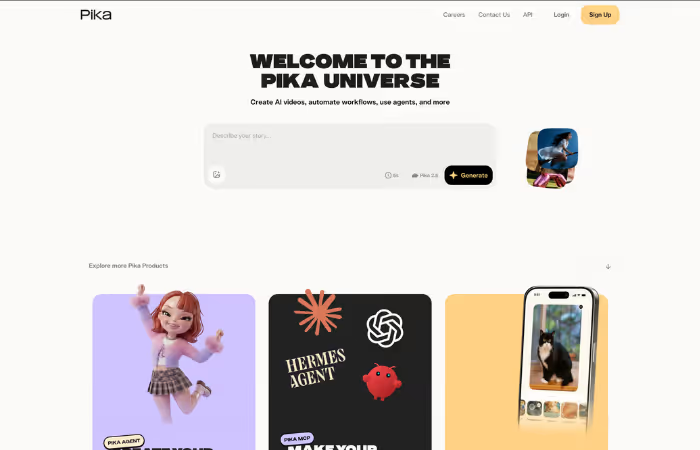
Pika is one of the easiest AI video tools to use for short-form content. It focuses on speed, simple workflows, and stylized effects that work well for social media videos.
The platform can generate clips in just a few minutes and includes creative editing features like Pikaffects for animated transitions and visual styles. Its lightweight workflow makes it popular for TikTok, Reels, Shorts, and fast content iteration.
Best for: Social media teams, creators, and marketers producing fast short-form video content with minimal production overhead.
LTX Studio: Best AI Video Platform for Storyboarding and Production Planning
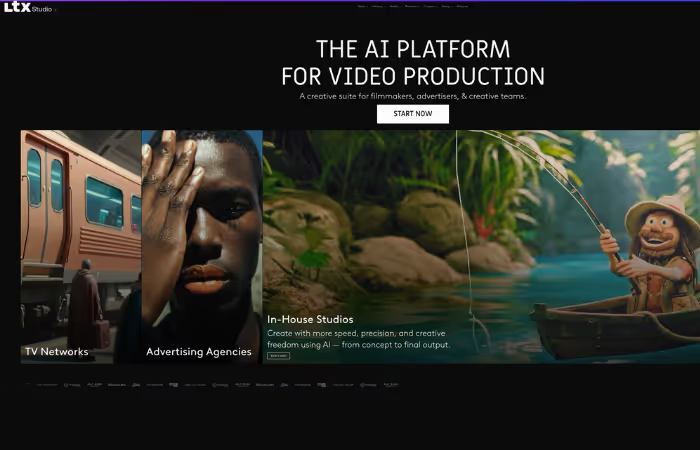
LTX Studio is built more like a full AI production environment than a simple video generator. It helps teams move from screenplay and story structure to storyboard creation and final video generation inside one workflow.
The platform supports multiple AI video models, character consistency across scenes, shared assets, and team collaboration features. It also includes enterprise-level controls for larger production teams.
Because of its structured workflow, LTX Studio is especially useful for narrative content, campaign planning, and pre-production work.
Best for: Agencies, film studios, and brand teams managing story-driven video production and creative planning workflows.
HeyGen: Best AI Avatar Video Generator for Marketing Teams
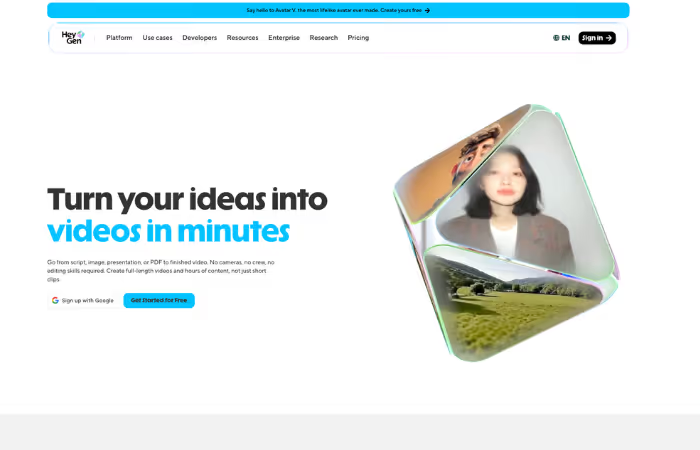
HeyGen is one of the strongest AI avatar platforms for multilingual marketing content. Teams can create presenter-led videos in more than 175 languages with realistic lip-sync and localized voiceovers.
One of its standout features is the ability to reuse the same script across multiple languages while automatically adjusting the presenter's speech and mouth movements. This makes it highly efficient for global campaigns and localized content production.
HeyGen is widely used for product marketing, explainer videos, social media campaigns, and customer communication.
Best for: Marketing teams creating multilingual avatar videos and scalable global content campaigns.
Adobe Firefly: Best AI Video Tool for Creative Cloud Workflows
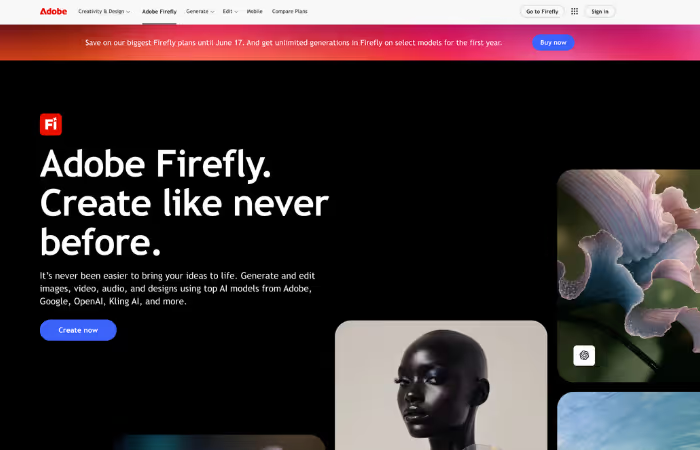
Adobe Firefly brings AI video generation directly into tools like Premiere Pro and After Effects, allowing creative teams to work inside their existing editing workflow instead of switching platforms.
It includes controls for camera movement, shot composition, aspect ratio, and motion presets, making it easier to generate and refine clips during the editing process. Adobe also focuses heavily on commercially safe AI models, which helps reduce licensing and copyright concerns for enterprise teams.
Firefly works best for teams already using Creative Cloud and looking to add AI generation without changing their production pipeline.
Best for: Creative teams using Adobe Creative Cloud that want AI-assisted video generation inside familiar editing tools.
Descript: Best AI Video Editing and Collaboration Tool for Teams
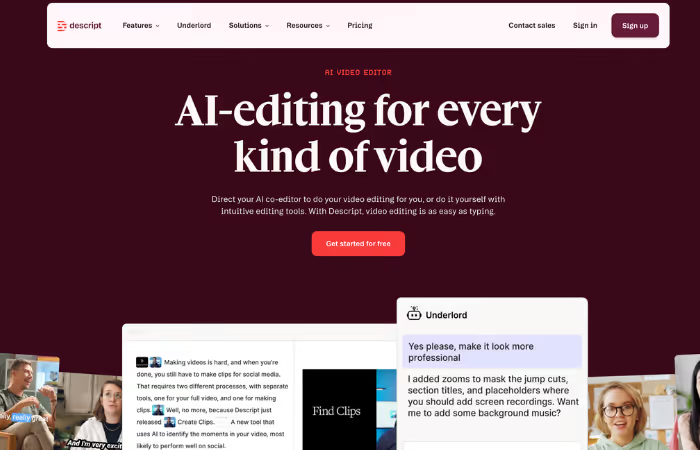
Descript approaches video editing differently from traditional editing software. Instead of editing timelines manually, users can edit the transcript and have the video update automatically.
The platform combines transcription, captioning, voice editing, screen recording, and collaboration tools in one workspace. This makes it especially useful for podcast videos, internal communication, tutorials, and short talking-head content.
Its simple workflow also makes video editing more accessible for non-technical teams.
Best for: Podcasters, internal content teams, marketers, and creators producing short-form talking-head videos and collaborative video content.
How Creative Teams Use AI Video Generation Tools in 2026
AI video tools are now part of real production workflows, helping teams move faster from idea to finished content.
- Marketing and social media content: Tools like Pika, HeyGen, and Runway are used to create short-form videos for ads, social posts, and rapid campaign testing.
- Internal training and onboarding videos: Synthesia and HeyGen help teams create training content without filming. Updates are easy, and multilingual support allows global rollout without re-recording videos.
- Product demos and explainer videos: Google Veo, Runway, and LTX Studio are used to visualize product ideas before production. This helps teams test concepts and align stakeholders early in the process.
- Creative storyboarding and prototyping: LTX Studio and Luma Dream Machine turn scripts into early visual drafts. Creative teams use them to explore directions quickly before committing production budgets.
- Multilingual video content production: HeyGen and Synthesia allow one video to be adapted into multiple languages with synced voice and lip movement, replacing traditional dubbing workflows.
What Are the Key Limitations of AI Video Generation Tools?
AI video tools are powerful, but they are not perfect. Understanding their limitations helps teams use them in the right places and avoid costly mistakes.
- Video quality and consistency challenges: AI still struggles with long-form continuity, realistic physics, and subtle human expressions. While tools like Runway Gen-4 and Kling 3.0 have improved character consistency, complex storytelling can still break visual continuity across scenes. Advances in AI image segmentation are gradually helping models better isolate and track subjects frame by frame, but full scene consistency remains an active area of improvement.
- Limited creative control in some platforms: Avatar-based tools like Synthesia produce structured, predictable outputs. This works well for training and corporate content, but it can feel restrictive for teams trying to create highly expressive or cinematic storytelling without heavy prompt refinement.
- Copyright and AI content concerns: Legal and ownership questions around AI-generated video are still evolving. In 2026, the U.S. Supreme Court declined to revisit Thaler v. Perlmutter, reinforcing that AI-generated works without human authorship cannot be copyrighted. There is also an ongoing risk when training data or outputs resemble existing media too closely.
- Difficulty maintaining brand authenticity: According to Animoto's 2026 report, 83% of consumers can identify AI-generated video, and 36% say it reduces trust in a brand. This makes human review and strong brand guidelines essential, especially for customer-facing content.
How We Chose the Best AI Video Generation Tools
To identify the best AI video generation tools for 2026, we followed a structured review process focused on real creative team workflows, not just product demos or marketing claims.
First, we researched and compared tools across key categories such as output quality, creative control, collaboration features, pricing, integrations, and licensing terms. This helped us understand how each platform performs in different stages of video production, from ideation to final export.
Next, we tested how these tools fit into real-world creative workflows, including marketing content creation, training video production, and social media publishing. We also looked at how well they integrate with existing creative stacks like Adobe tools, cloud storage systems, and team collaboration platforms.
Finally, we prioritized tools based on practical adoption by creative teams, reliability in production use, and how well they support both solo creators and multi-person teams at scale.
Frequently Asked Questions

About the Author:
Chief Technology Officer | Software Architect | Builder of AI, Products, and Teams
Juan Pablo Lorandi is the CTO at Azumo, with 20+ years of experience in software architecture, product development, and engineering leadership.


.avif)